Best frames
10.1-inch Frameo frame · 32GB · ZN-DP1002

YENOCK 10.1-inch Frameo Frame

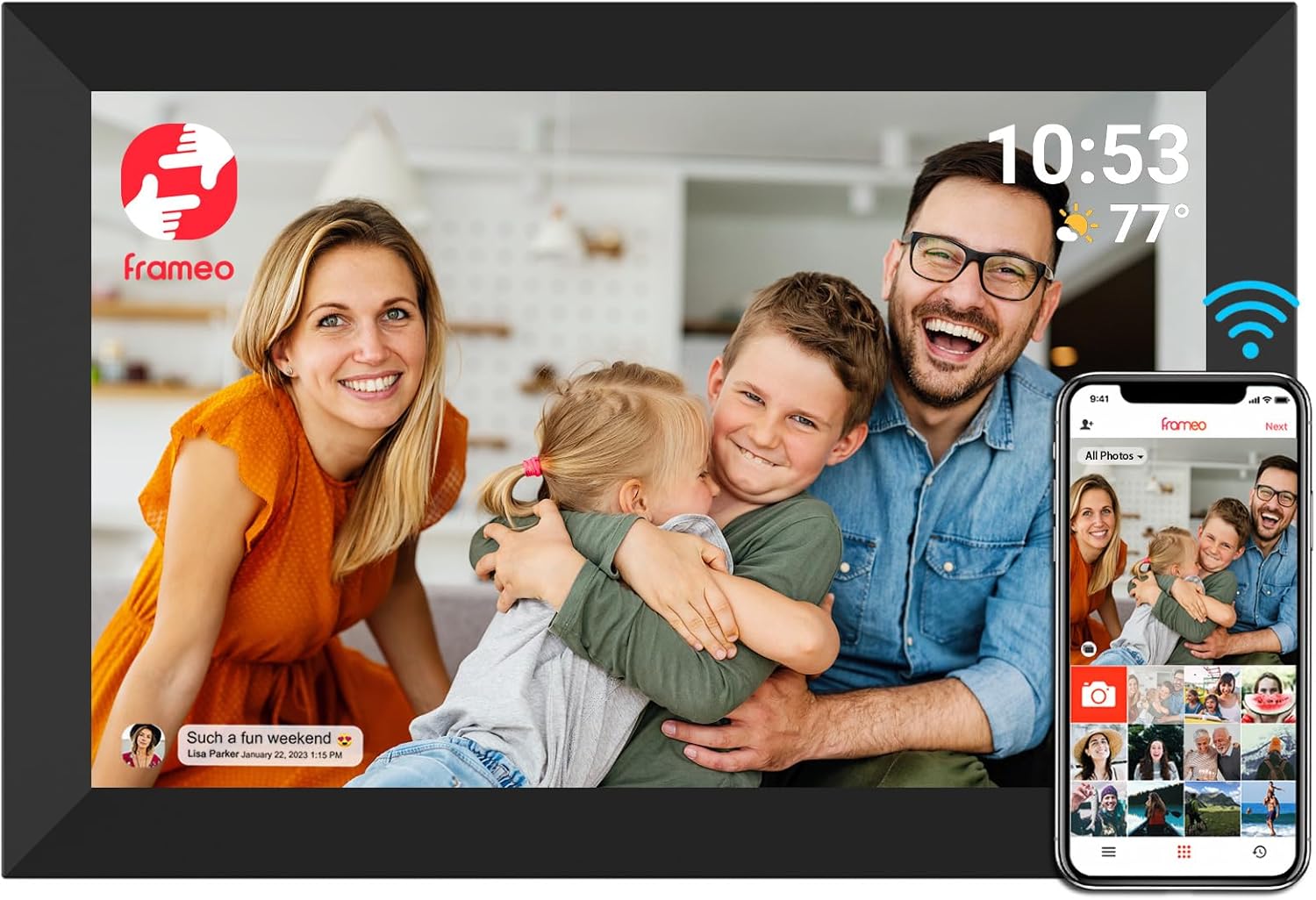
A 10.1-inch Frameo frame with room to grow: 32GB inside, a microSD slot that takes cards up to 128GB, a calendar beside the photos and captions that tell Grandpa who is in each picture.

  • Screen10.1-inch IPS touch, 1280x800
  • Storage32GB built in
  • Memory cardmicroSD up to 128GB
  • ExtrasCalendar, captions, greetings
  • OrientationAuto-rotate, stand or wall
  • Warranty1 year, lifetime support
Lovely for a home with
  • A father or grandfather who wants new grandchild photos the moment they are taken
  • Families with a large photo archive to keep on a card
  • Seeing the family calendar beside the pictures
  • A plain black frame for a desk or study
Think twice if
  • A family that wants a wood or white finish
  • Viewing from across a large room: a 15.6-inch frame is easier to see
See this frame

New grandkid photos on Dad's YENOCK before lunch

YENOCK pitches its 10.1-inch Frameo frame at fathers and grandfathers, and the reasoning is simple. Many older men are the least likely in the family to follow a group chat, yet they love seeing the grandchildren. A frame on the desk that fills itself with new photos, captioned so he knows the context, keeps him in the loop without asking him to learn an app.

The frame does the everyday things well and adds a few touches of its own:

  • A 10.1-inch IPS touch screen at 1280x800, sharp for portraits and clear from an angle.
  • 32GB of memory, which YENOCK rates at about 80,000 photos of 300KB each. Modern phone photos are larger, so expect fewer, still many years' worth.
  • A microSD slot that takes cards up to 128GB, larger than the 32GB limit many Frameo frames set.
  • A calendar function so family dates sit beside the photos.
  • Captions and greetings sent from the app, so a photo can say Lily's first day at school.

Photos appear within a few seconds of being sent. One sender can post to several connected frames at once, useful when Dad has a frame at home and another in his workshop or office.

Built to run all day. YENOCK says every frame goes through a 200-hour ageing test before it leaves the factory, running continuously to catch early faults. Support is promised for life, with a reply within 24 hours.

The black plastic frame is plain on purpose. It fits on a desk beside a lamp and a pen pot without drawing attention from the photos.

Frame details

Screen, storage and size

SpecValue
ModelZN-DP1002
Screen10.1-inch IPS touch screen
Resolution1280x800
Aspect ratio16:10
Built-in storage32GB
Photo capacityAbout 80,000 photos at 300KB each, maker's figure
Memory cardmicroSD, up to 128GB
Photo appFrameo for iOS and Android
ConnectionWi-Fi
CalendarCalendar function on the frame
Captions and greetingsTyped captions on photos, greetings from the app
OrientationAuto-rotate, upright or sideways
MountingTabletop or wall
SettingsBrightness, sleep mode
FrameBlack plastic
Quality check200-hour ageing test before shipping, maker's statement
PowerMains adapter
Warranty1 year, lifetime support, reply within 24 hours

Captions, greetings and the calendar on Grandpa's YENOCK

Captions make a big difference for a grandparent who sees photos without the conversation around them. When a daughter sends a picture with the words Tom's first swim without armbands, Grandpa knows the moment rather than guessing. On the YENOCK frame the caption shows along the photo, and it can be switched off in the settings.

A week of the frame on Grandpa's desk might go like this:

  1. On Monday the calendar shows the grandchildren's visit on Saturday.
  2. On Tuesday a son sends a greeting for Father's Day with a themed design.
  3. On Thursday a short video of the baby's first steps arrives, 15 seconds long.
  4. On Saturday, before the visit, a new batch of photos gives Grandpa something to ask about.

Greetings are one of the more touching Frameo features. The sender picks a design for a birthday or holiday, types a message and sends it, and it appears full screen on the frame. For a Father's Day when the family cannot visit, it is a small gesture that lands in the room rather than in a phone.

The frame's touch screen handles the rest:

  • Tap to pause on a photo.
  • Swipe to browse back to earlier pictures.
  • Delete a video he does not want to keep.
  • Adjust brightness for a dim study, and set the sleep mode for night.

New senders join through the Frameo app with a friend code from the frame. The steps are in sending photos to a Frameo frame, and the calendar and other extras are explained in what a Frameo frame is.

Among the frames

Where it sits by screen size

Frameo frame models by screen size, September 2026. Highlighted: YENOCK 10.1-inch Frameo Frame.

A 128GB microSD card for the family archive

The YENOCK frame's microSD support is its practical edge. Where many 10.1-inch Frameo frames stop at 32GB cards, YENOCK states support for cards up to 128GB. For a family that wants decades of scanned prints and home videos on the frame, that is a lot of extra room.

StorageRough photo count at 3MBSuits
32GB built inAbout 10,000Everyday photos sent by the family
32GB microSDAbout 10,000 moreA backup copy or one decade of prints
128GB microSDAbout 40,000 moreA full family archive with video

These counts are simple arithmetic at 3MB per photo, a typical size for a modern phone picture; smaller scanned prints fit many more.

A sensible routine for loading an archive:

  • Format the card on a computer before copying files, following the frame's instructions.
  • Copy photos into folders by year or event, so they are easy to find.
  • Insert the card and import the photos you want in the slideshow.
  • Keep the card as a backup once the import is done.

The micro SD card guide for Frameo frames covers formatting and card choice in more detail.

The frame can stand on a desk or hang on a wall, and it rotates photos for upright or sideways placement. Upright suits the tall phone portraits that make up most family photos today.

A card also protects against the worst case. If the frame ever needs a factory reset, photos kept on a card are not lost with the frame's memory, and they can be imported again in minutes. Take the card out before any reset, then put it back once the frame is running.

Also lovely

Three frames worth a look

More finishes and a collage1 MaxAngel 10.1-inch Frameo Frame
MaxAngel 10.1-inch Frameo Frame
MaxAngel's M-102K pairs 32GB and a calendar with six-photo collages and six finishes.
  • 10.1" touch screen · 32GB
  • Photos arrive from the Frameo app
  • 1280×800 IPS display
See this frame
Photos without Wi-Fi2 Pastigio 10.1-inch Frameo Frame
Pastigio 10.1-inch Frameo Frame
Pastigio's 10.1-inch frame also takes photos from a USB-C drive or a Windows computer.
  • 10.1" touch screen · 32GB
  • Photos arrive from the Frameo app
  • 1280×800 IPS display
See this frame
A 2-year warranty3 YunQiDeer 10.1-inch Frameo Frame
YunQiDeer 10.1-inch Frameo Frame
YunQiDeer's 10.1-inch frame syncs four calendar services and carries two years of cover.
  • 10.1" touch screen · 32GB
  • Photos arrive from the Frameo app
  • 1280×800 IPS display
See this frame

YENOCK next to MaxAngel and Pastigio for Father's Day

At 10.1 inches and 32GB, the YENOCK shares its main figures with the best-known Frameo frames. It stands out for its 128GB card support, its calendar function and the ageing test behind each frame. It keeps to a single plain black finish, with no wood or white option.

How the neighbours compare:

  • MaxAngel M-102K: 32GB, a calendar, six-photo collages and six finishes, including light oak and vintage gold.
  • Pastigio 10.1-inch: 32GB, photos from a microSD card, a USB-C drive or a Windows computer, in an embossed frame.
  • YunQiDeer 10.1-inch: a calendar that syncs with four services and a 2-year warranty.

For a grandfather with a big archive, the YENOCK's card support is the deciding point. For a family that wants more finishes or a longer warranty, one of the others fits better.

Size is another question. A 10.1-inch screen suits a desk, where Grandpa sits a couple of feet away. If the frame will sit across the room from his armchair, a 15.6-inch Frameo frame shows faces far larger, and the size comparison helps judge the distance.

A short list for Father's Day:

  1. Wi-Fi. Note his network name and password.
  2. Socket. Choose a desk or wall spot near an outlet.
  3. Card. Decide whether to add a microSD card, and what size.
  4. Captions. Ask the family to add a line to each photo for the first few weeks.
  5. Greeting. Send a Father's Day greeting so it is the first thing he sees.

For every frame of this size side by side, see the 10.1-inch Frameo frames. Language, Wi-Fi and naming are handled in the Frameo setup walk-through.
Family questions

Before you wrap it

What size microSD card does the YENOCK frame take?

YENOCK states support for microSD cards up to 128GB, on top of 32GB of built-in memory.

Does the YENOCK frame have a calendar?

Yes. It adds a calendar function so family dates show beside the photos.

Can photos have captions?

Yes. Senders can type a caption in the Frameo app, and it shows on the frame with the photo.

What resolution is the screen?

1280x800 on a 10.1-inch IPS touch panel.

What support does YENOCK offer?

A one-year warranty, lifetime support and a promised reply within 24 hours.