Best frames
10.1-inch Frameo frame · 32GB · ZC002

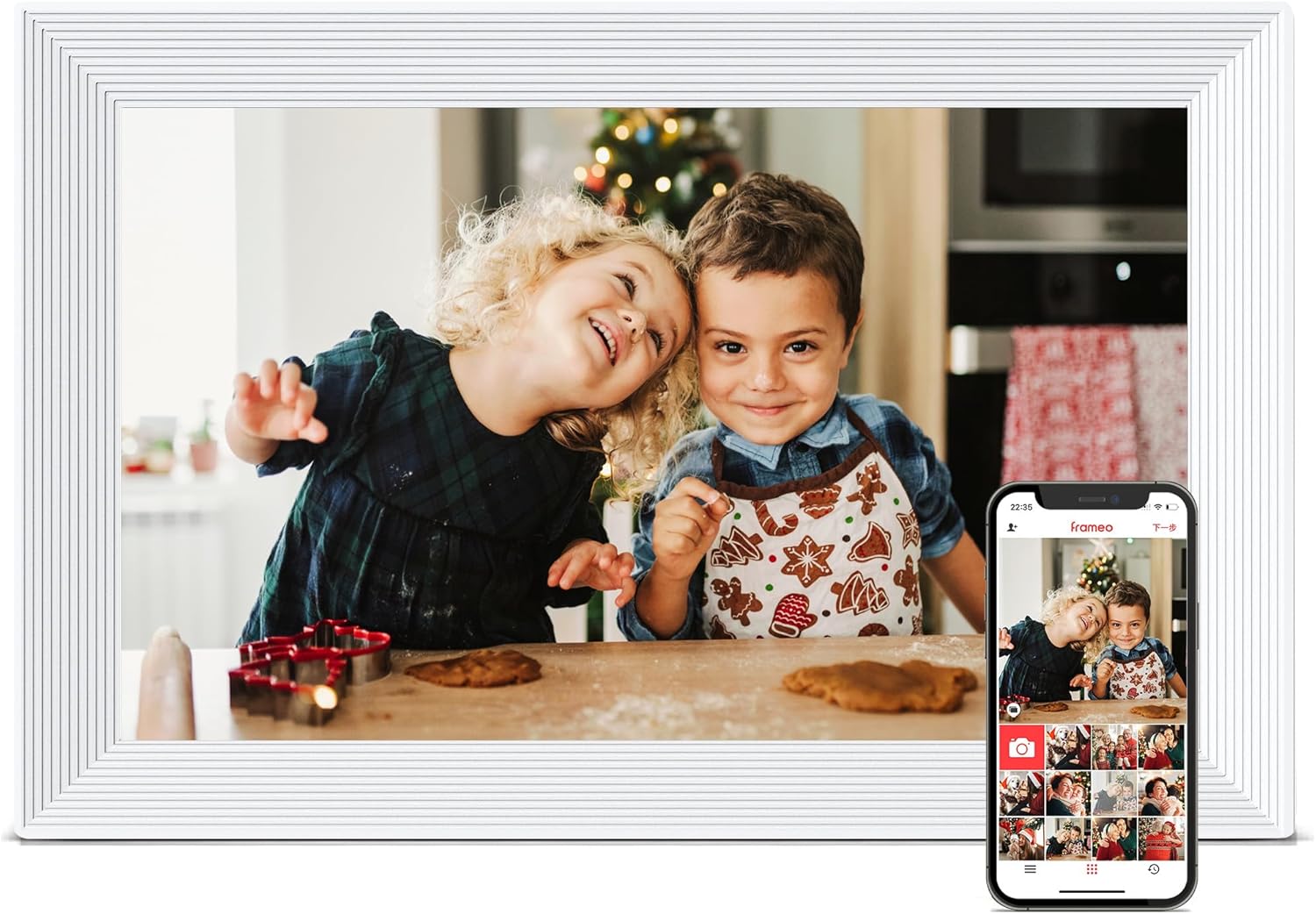
Pastigio 10.1-inch Frameo Frame

A 10.1-inch Frameo frame for the home where Wi-Fi is patchy or missing: photos arrive by app, microSD card, USB-C drive or straight from a Windows computer, inside an embossed border that won a design award.

  • Screen10.1-inch touch, 1280x800
  • Storage32GB built in
  • Without Wi-FimicroSD, USB-C drive, Windows PC
  • StandMagnetic, upright or sideways
  • DesignEmbossed border, MUSE design award
  • Warranty24 months
Lovely for a home with
  • Grandparents with no home Wi-Fi or a weak signal
  • Families who keep their photo archive on a Windows laptop
  • A frame that looks like decor rather than a gadget
  • Anyone who values a two-year warranty
Think twice if
  • Mac-only households hoping to copy photos by cable
  • Anyone who wants a full-size SD card slot
See this frame
Colours & options

Engraved borders or woodgrain

Photos for a grandmother with no Wi-Fi at home

Pastigio's ZC002 is the 10.1-inch Frameo frame built for the house where the internet never arrived. It runs the free Frameo app like any other frame, but it also takes photos from three places that need no network at all, and that changes who can enjoy it.

Here are the four ways pictures reach the screen:

  1. The Frameo app, over Wi-Fi, from any invited phone in any country.
  2. A microSD card, pushed into the slot and imported from the frame's menu.
  3. A USB-C flash drive, the small kind that fits a modern phone charger port.
  4. A Windows computer, linked to the frame with a USB-C data cable.

For a grandmother whose home has no router, the routine is simple. Once a month a visiting grandchild copies the latest photos to a card at home, slips it into the frame, and taps import. The pictures stay in the frame's 32GB even after the card comes out.

Pastigio puts that 32GB at more than 50,000 photos. Phone pictures vary in size, so the true count depends on the camera, but either way the memory lasts a long time for a monthly top-up.

Format first. Cards and drives must be formatted as FAT32 before the frame can read them. Windows only offers FAT32 in its own format tool for cards of 32GB or smaller, which makes a 32GB card the easy choice.

Nothing about the offline routes blocks the app. If the family later adds Wi-Fi, the same frame starts receiving photos from phones without a reset, and the friend code steps take a couple of minutes.

Frame details

Screen, storage and size

SpecValue
ModelZC002
Screen10.1-inch HD touch screen
Resolution1280x800
Aspect ratio16:10
Built-in storage32GB
Photo appFrameo for iOS and Android, over Wi-Fi
Memory cardmicroSD (TF), FAT32
USB driveUSB-C flash drive, FAT32
Computer transferWindows PC via USB-C cable
Card, drive and data cableNot included
StandMagnetic support stand, upright or sideways
MountingWall-mountable
BorderEmbossed design, MUSE design award
Frame materialPlastic
Frame size7.5 x 10.6 in
PowerMains adapter
In the boxFrame, adapter, printed instructions and troubleshooting
Warranty24 months

The embossed border that won a design award

Most 10.1-inch Frameo frames wear a plain black edge. Pastigio's engraved models carry an embossed pattern around the screen, a design recognised with a MUSE design award, and it gives the frame the feel of a traditional photo frame on a sideboard.

The border comes in three colours on the ZC002, and Pastigio adds four woodgrain frames with a flatter edge:

  • Engraved Black, the classic choice for dark furniture.
  • Engraved White, bright and clean in a kitchen or bedroom.
  • Engraved Chocolate Brown, a warm tone beside wooden shelves.
  • Walnut Brown, Natural, Greige and Dark woodgrain, wood-effect frames with auto-rotation and an adjustable stand.

The stand on the engraved frame is magnetic. It clicks into place for a sideways picture or turns for an upright one, so a portrait of a new baby can fill the screen instead of sitting between two black bars.

The frame can also go on the wall. Families often hang it at eye level in a hallway, where everyone passes it several times a day.

A patterned border also looks at home on a mantelpiece among silver and wooden frames, where a plain black band would stand out. The Pastigio blends in until the picture changes.

The screen itself is a 1280x800 HD touch panel. Pastigio makes a point of using new HD panels, since the screen is the most expensive part of any frame and the part people look at all day.

For how this size compares with bigger screens around the house, see Frameo frame sizes.

Among the frames

Where it sits by screen size

Frameo frame models by screen size, September 2026. Highlighted: Pastigio 10.1-inch Frameo Frame.

Copying the holiday album from a Windows laptop

The computer route is the quickest way to fill a Pastigio frame with years of old photos. Connect the frame to a Windows PC with a USB-C data cable, choose the computer transfer option in the frame's photo menu, and a folder of pictures from the laptop goes straight across.

A few points make the first transfer smooth:

  • Use a data cable. Some USB-C cables only charge. The cable has to carry data, and it is not in the box.
  • Windows only. Pastigio lists computer transfer for Windows. On a Mac, copy photos to a microSD card or USB-C drive instead.
  • Pick the photos. Choose the best rather than the whole phone roll, so the slideshow feels like highlights.
  • Mind the format. The frame reads standard photo files from phones and cameras, and videos in MP4.

Video from the Frameo app stops at 15 seconds, the limit every Frameo frame shares. Longer clips can travel by card, drive or computer instead.

The printed instructions in the box walk through each method, and Pastigio includes a troubleshooting section. For a frame going to someone who is not confident with technology, that paper manual beside the frame is worth a lot.

Set up the Wi-Fi anyway if you can. Even in a home with a weak signal, a working Frameo connection lets the family send photos between visits. The offline routes then become the backup rather than the only way in. The Wi-Fi help covers weak and patchy networks.

The memory card guide explains how to format a card as FAT32 on Windows and Mac.

Also lovely

Three frames worth a look

The same offline routes in six colours1 FLYRUIT 10.1-inch Frameo Frame
FLYRUIT 10.1-inch Frameo Frame
FLYRUIT's 10.1-inch frame also takes microSD, USB-C drives and a Windows PC, with a 24-month warranty.
  • 10.1" touch screen · 32GB
  • Photos arrive from the Frameo app
  • 1280×800 IPS display
See this frame
A calendar and collage on the slideshow2 MaxAngel 10.1-inch Frameo Frame
MaxAngel 10.1-inch Frameo Frame
MaxAngel's frame syncs a family calendar, shows six-photo collages and comes in six finishes.
  • 10.1" touch screen · 32GB
  • Photos arrive from the Frameo app
  • 1280×800 IPS display
See this frame
Pastigio's bigger screen3 Pastigio 15.6-inch Frameo Frame
Pastigio 15.6-inch Frameo Frame
The 15.6-inch Pastigio moves to Full HD and takes full-size SD cards, USB drives and a Windows PC.
  • 15.6" touch screen · 32GB
  • Photos arrive from the Frameo app
  • 1920×1080 IPS display
See this frame

Pastigio, FLYRUIT or MaxAngel for a gift with no router

FLYRUIT's 10.1-inch frame offers the same trio of offline routes, microSD, USB-C drive and a Windows computer, so it is the closest match. The Pastigio earns its place with the award-winning border, the magnetic stand, printed troubleshooting in the box and a 24-month warranty.

MaxAngel's frame is the other obvious comparison. It adds a synced calendar and collage mode and comes in more finishes, but its photo routes besides the app are a memory card or USB stick only, with no direct link to a computer.

How the three line up:

FrameOffline routesStand out for
Pastigio ZC002microSD, USB-C drive, Windows PCEmbossed border, 24-month warranty
FLYRUIT M10R7microSD, USB-C drive, Windows PCSix colours, 24-month warranty
MaxAngel M-102KmicroSD (other finishes SD and USB)Calendar, collage, gift warranty

For a home without any router, the Pastigio and FLYRUIT are the natural pair to choose between, and the decision is mostly about looks. The engraved border suits a traditional room, while FLYRUIT's plainer frame in white, gold or brown suits a modern one. Where a laptop is the family's photo library, both save the step of copying to a card.

Before you give the Pastigio, check four things:

  1. Whether their home has Wi-Fi, patchy Wi-Fi or none, and plan the photo route to match.
  2. That a socket sits near the spot, since the frame runs from its adapter.
  3. That you own a USB-C data cable if you plan to use a laptop.
  4. Which border colour suits the room, and whether the engraved or the woodgrain frame fits the furniture better.

A monthly visit with a fresh card is a lovely ritual in its own right. Grandchildren choose the photos, and the frame becomes a reason to call round.

More options for homes with no internet appear on what a Frameo frame is and how it works offline.

Family questions

Before you wrap it

Does the Pastigio frame work without Wi-Fi?

Yes. Photos can go on from a microSD card, a USB-C flash drive or a Windows computer over a USB-C data cable, all without a network. New photos from phones need Wi-Fi.

Can I copy photos from a Mac by cable?

Pastigio lists computer transfer for Windows only. From a Mac, copy the photos to a microSD card or USB-C drive formatted as FAT32.

Does the box include a memory card?

No. The card, the USB-C drive and the USB-C data cable are all bought separately.

What warranty does the Pastigio carry?

The ZC002 comes with a 24-month warranty, and Pastigio covers manufacturing defects over that period.