Best frames
15.6-inch Frameo frame · 32GB · P300

NETTIPS 15.6-inch Frameo Frame

The NETTIPS P300 is a straightforward 15.6-inch Frameo frame: a Full HD touch screen, 32GB inside, a microSD slot for more, and a one-year replacement warranty with support that answers within a day.

  • Screen15.6-inch IPS touch, 1920x1080
  • Storage32GB built in
  • Memory cardmicroSD up to 32GB
  • RotationUpright or sideways, auto-rotate
  • Size15.7 x 9.8 in
  • WarrantyOne-year replacement
Lovely for a home with
  • Parents far away who want the family's holidays the same day
  • A first Frameo frame for someone new to gadgets
  • Families who want a clear, realistic storage figure
  • Anyone who values fast replies from support
Think twice if
  • A home with no Wi-Fi and no one to bring cards
  • Anyone hoping to use a card larger than 32GB
See this frame

Holiday snaps from abroad on the NETTIPS frame by teatime

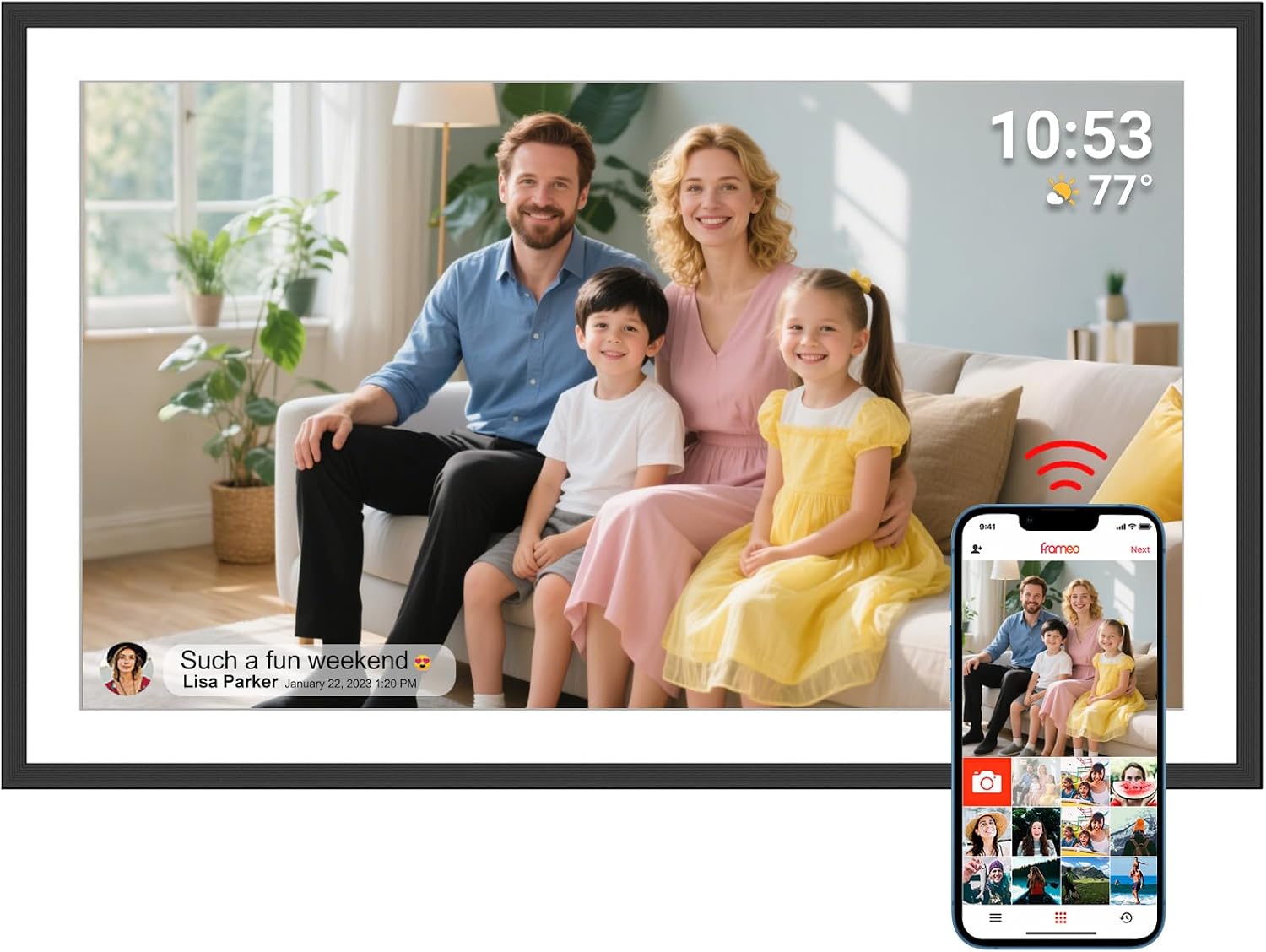
NETTIPS built the P300 around one simple promise of Frameo: whatever the family sees, wherever they are, can be on a parent's screen a moment later. A son on a mountain in Norway takes a photo, taps send in the Frameo app, and it appears on the 15.6-inch frame in his mother's sitting room before he has walked back down.

That immediacy is what makes Frameo frames such good gifts for parents living far from their children. The frame fills itself, and each new photo is a small visit.

What reaches the frame, and how:

  • Photos from any invited phone, Android or iPhone, through the free Frameo app.
  • Short videos, capped at 15 seconds, for a greeting or a wave from a beach.
  • Photos from a microSD card, loaded on the frame itself for older collections.

Only people who have been invited with the frame's code can send to it. There are no email addresses or social accounts involved, so nothing unexpected arrives.

Time zones don't matter. Photos sent in the middle of the night abroad are waiting on the frame in the morning. With a sleep schedule set, the screen stays dark overnight and shows the new arrivals at breakfast.

On the P300, a 1920x1080 IPS panel fills the 15.6-inch widescreen face. Mountain views and wide beach shots suit that shape well, and the frame turns tall portraits upright when it is stood on its side.

The frame also answers back. Whoever lives with it can tap a photo to send a reaction, so the son on the mountain gets a heart on his phone and knows his mother saw the view.

For the family's side of things, adding photos to a Frameo frame explains the friend code and the app in a few steps.

Frame details

Screen, storage and size

SpecValue
ModelP300
Screen size15.6 inches
PanelIPS touch screen
Resolution1920x1080 Full HD
Aspect ratio16:9
Built-in storage32GB
Memory cardmicroSD, up to 32GB
Capacity estimateAbout 8,000 photos at 3MB each
Photo appFrameo for Android and iOS, over Wi-Fi
App videosUp to 15 seconds
OrientationUpright or sideways, auto-rotate
File formatsMultiple photo and video formats
Size15.7 x 9.8 in
PowerMains adapter
SupportUS-based, replies within 24 hours
WarrantyOne-year full replacement

Eight thousand photos: the NETTIPS 32GB in plain numbers

NETTIPS gives an unusually honest storage figure for the P300. Where many frames quote tens of thousands of photos, NETTIPS says the 32GB holds about 8,000 photos at 3MB each, which is close to what a modern phone photo weighs, and it adds that this is enough for everyday use.

Eight thousand is a lot of pictures. A family sending twenty photos a week would take several years to fill the frame with stills.

What changes the count:

  • Photo size. Newer phones with high-resolution cameras produce bigger files, so the count drops.
  • Videos. Even 15-second clips take much more room than a photo.
  • Scans and older photos. Smaller files from older cameras push the count up.
  • Clearing out. Deleting duplicates and blurred shots frees space as the years go by.

A microSD card no larger than 32GB adds more room. Use a card formatted as FAT32, which cards of that size usually are from new, and keep to 32GB or smaller so the frame recognises it.

Card for safekeeping. A card in the slot also makes a handy backup. Copy the frame's photos to it now and then, so a factory reset or a fault never costs the family its collection.

Everyday use of Frameo costs nothing. Frameo+ is an optional subscription with cloud backup among its extras, useful for a frame that holds photos nobody else has kept.

For removing old photos, see deleting pictures from a Frameo frame. The micro SD card guide explains sizes and formats.

Among the frames

Where it sits by screen size

Frameo frame models by screen size, September 2026. Highlighted: NETTIPS 15.6-inch Frameo Frame.

Setting up the NETTIPS P300 for a parent who dislikes gadgets

NETTIPS describes the P300's setup as a few steps and its interface as designed for all ages. For a parent who has never liked touch screens, the trick is to do those steps before the frame reaches them, so all they ever see is a finished slideshow.

A setup plan that keeps things easy for them:

  1. Unbox it at home and plug it in. The frame runs from its adapter and has no battery.
  2. Choose the language and Wi-Fi, then name the frame and set the time zone.
  3. Pair your phone with the frame's code and send a first batch of photos.
  4. Invite siblings so the first week brings photos from several people.
  5. On delivery day, join their Wi-Fi in settings. Everything already on the frame stays.

After that, their only job is to enjoy it. A tap pauses a photo, a swipe moves on, and a tap on a heart tells the sender it was loved.

If anything goes wrong, NETTIPS offers US-based support with responses within 24 hours and a one-year full replacement warranty, so a faulty frame is swapped rather than repaired.

The P300 measures 15.7 by 9.8 inches. That is wider than a 10.1-inch frame by several inches, so allow space on the sideboard, or plan a wall position where the cable can reach a socket.

Step-by-step screens are in setting up a Frameo frame, and Frameo frame not connecting to Wi-Fi helps if their router gives trouble on the day.

Also lovely

Three frames worth a look

Photos from a Windows laptop1 Glusine 15.6-inch Frameo Frame
Glusine 15.6-inch Frameo Frame
Glusine's 15.6-inch frame takes full-size SD, FAT32 USB drives and a laptop over USB-C.
  • 15.6" touch screen · 32GB
  • Photos arrive from the Frameo app
  • 1920×1080 IPS display
See this frame
Full-size SD and USB routes2 Axcedkee 15.6-inch Frameo Frame
Axcedkee 15.6-inch Frameo Frame
Axcedkee's 15.6-inch frame loads photos by SD card, USB drive or computer, no Wi-Fi needed.
  • 15.6" touch screen · 32GB
  • Photos arrive from the Frameo app
  • 1920×1080 IPS display
See this frame
A bright white frame3 Moonka 15.6-inch Frameo Frame
Moonka 15.6-inch Frameo Frame
Moonka's white 15.6-inch frame has a 1920x1080 screen with a 178-degree viewing angle.
  • 15.6" touch screen · 32GB
  • Photos arrive from the Frameo app
  • 1920×1080 IPS display
See this frame

NETTIPS P300 against Glusine, Axcedkee and Moonka

At 15.6 inches and Full HD, the NETTIPS P300 has several close rivals. The difference that stands out is how photos can arrive without Wi-Fi: the P300 relies on its microSD slot, while Glusine and Axcedkee accept full-size SD cards, USB drives and a computer too.

FrameOffline routesWorth noting
NETTIPS P300microSD up to 32GBReplacement warranty, 24-hour support replies
Glusine 15.6Full-size SD, FAT32 USB, Windows laptopWall or desktop
Axcedkee 15.6Full-size SD, FAT32 USB, computerFill-frame and reactions
Moonka 15.6Stored photos play offlineWhite finish, 178-degree viewing

Which to lean towards:

  • NETTIPS P300 when the family will mostly send by app and wants a clear replacement warranty.
  • Glusine when a grandparent without a smartphone will get photos from a Windows laptop.
  • Axcedkee for the same offline routes from another maker.
  • Moonka for a white frame in a bright room.

The honest trade-off with the P300 is flexibility against simplicity. It has fewer ways in than the Glusine or Axcedkee, but a parent who will only ever receive photos by app has nothing extra to learn, and the family gets a clear promise of a replacement if the frame fails in its first year.

All four use the same free Frameo app, so relatives already sending to a Frameo frame elsewhere add the new one without installing anything.

For a wider view of Frameo's strengths and limits before buying, read is Frameo a good digital frame.

Family questions

Before you wrap it

How many photos does the NETTIPS P300 hold?

NETTIPS estimates about 8,000 photos at 3MB each in the 32GB of built-in memory. Smaller files push that higher; videos bring it down.

Which memory card should I buy for it?

A microSD card no bigger than 32GB, formatted as FAT32.

What warranty does NETTIPS offer?

A one-year full replacement warranty, with US-based support that replies within 24 hours.

Can both iPhone and Android users send to it?

Yes. The free Frameo app runs on both, and any invited phone can send photos to the frame.