Best frames
10.1-inch Frameo frame · 16GB · 1280x800

Dragon Touch 10.1-inch Frameo Frame

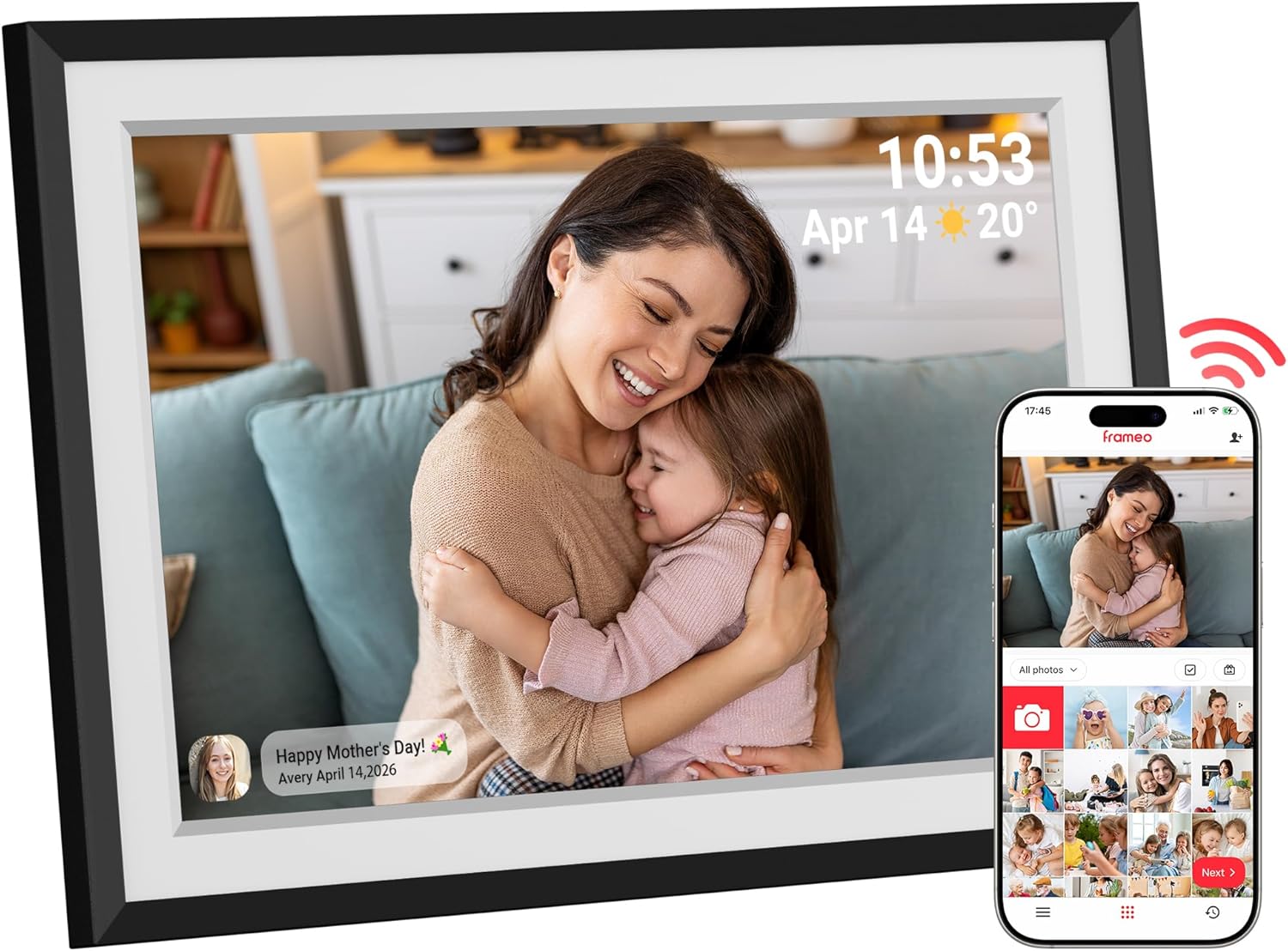
A classic 10.1-inch Frameo frame from a maker better known for tablets, built as a present for mum, grandma or a partner: photos arrive from the family's phones, and her slideshow can play with music behind it.

  • Screen10.1-inch touch, 1280x800
  • Storage16GB built in
  • Memory cardmicroSD up to 32GB
  • SlideshowAdjustable speed, background music
  • RotationAuto-rotate sensor
  • WarrantyTwo years from Dragon Touch
Lovely for a home with
  • A mother, grandmother or partner receiving her first photo frame
  • Someone who likes music under a slideshow
  • Families who value a two-year warranty from a known electronics maker
  • A side table or bookshelf with modest space
Think twice if
  • A family that sends a lot of video and needs 32GB inside
  • A living room where the frame is viewed from across the room
See this frame

Mother's Day morning with a Dragon Touch frame already full

Dragon Touch pitches its 10.1-inch Frameo frame squarely as a present for the woman in the family: a mother, a wife, a sister or a grandmother. The idea is simple and sweet. She unwraps it, plugs it in, and the photos keep arriving for years without her lifting a finger.

That last part is what makes a Frameo frame a good gift for someone who does not enjoy gadgets. She never needs to open an app. Her children and grandchildren send pictures from their own phones, and each one appears on her side table a moment later.

The best way to give it is already loaded:

  1. Set it up at home on your own Wi-Fi a few days before the occasion.
  2. Invite the family with the frame's friend code, so siblings and cousins can add their favourites.
  3. Let the photos pile up: holidays, wedding days, the dog, the garden.
  4. On the day, move it to her network in the settings. Every photo already sent stays on the frame.

There are no email addresses to share and no social accounts to join. Only people she, or whoever set it up, has invited can send anything, which keeps strangers and spam off her screen.

A card in the box. Tuck a handwritten note inside with the frame's name and a line for the family on how to send photos. It turns one gift into a shared project, and the first week's pictures do the rest.

The full screen-by-screen routine is in setting up a Frameo frame, and relatives can learn to send in a few app steps.

Frame details

Screen, storage and size

SpecValue
Screen size10.1 inches
PanelHD touch screen, wide viewing angles
Resolution1280x800
Aspect ratio16:10
Built-in storage16GB
Memory cardmicroSD, up to 32GB
Photo appFrameo for iOS and Android, over Wi-Fi
App videosShort clips, up to 15 seconds
RotationBuilt-in auto-rotate sensor
SlideshowAdjustable speed, background music, display modes
SharingSeveral family members can send remotely
ColourBlack
Size10.53 x 7.33 in
PowerMains adapter
WarrantyTwo-year manufacturer warranty

Her slideshow, her pace, with music on the Dragon Touch

Where many Frameo frames stop at brightness and sleep settings, Dragon Touch draws attention to the slideshow itself. She can change how fast the photos move on, pick a display mode, and set background music to play while the pictures cycle, a small touch that turns an afternoon of browsing into something closer to an album evening.

The things she can change from the touch screen:

  • Slideshow speed, from quick flicks to a slow pace that lets each photo linger.
  • Display modes, for how photos fill the screen.
  • Background music, playing behind the slideshow.
  • Orientation, handled by the built-in auto-rotate sensor when the frame is turned upright.

Dragon Touch uses a 1280x800 HD touch panel, the standard resolution for a 10.1-inch Frameo frame. It shows phone photos crisply at the distance people usually sit from a side table or kitchen shelf, and wide viewing angles keep colours steady when she walks past.

Short videos arrive too. Clips sent through the Frameo app are limited to 15 seconds, which suits a grandchild's wave or a birthday candle moment. For longer home movies, a microSD card is the way in.

Tapping a photo pauses it, and a swipe moves on. Those two gestures cover most of what she will ever do with it, which is exactly the point for a first frame.

Photos can also be hidden or removed from the frame itself, so an unflattering shot never has to stay. The steps are in deleting pictures from a Frameo frame.

Among the frames

Where it sits by screen size

Frameo frame models by screen size, September 2026. Highlighted: Dragon Touch 10.1-inch Frameo Frame.

16GB inside the Dragon Touch, and when a card helps

The Dragon Touch frame carries 16GB of built-in memory, half of what most 10.1-inch Frameo frames now ship with. For a frame that mostly receives phone photos, 16GB still holds several thousand pictures, since a typical phone photo lands somewhere between 2MB and 5MB, and the exact count depends on the camera.

Where the smaller memory shows is video. Clips take far more room than stills, so a family that sends lots of short videos will fill 16GB sooner. A microSD card, 32GB at most, adds room and gives a way to load longer clips without the app's 15-second limit.

A few habits keep a 16GB frame comfortable for years:

  • Send the best, not the whole camera roll. A slideshow of highlights is nicer to watch anyway.
  • Prune now and then. Hiding or deleting duplicates frees space on the frame.
  • Use a card for archives. Old holiday albums can live on microSD rather than in the frame's memory.
  • Format the card as FAT32 before first use, which cards of 32GB and smaller usually are out of the packet.
Card and adapter. The frame takes microSD, the small card used in phones and action cameras, not the full-size SD card from an older camera. The micro SD card guide covers formats and sizes.

The frame also keeps working when the Wi-Fi drops. Photos already received are stored on the frame, so the slideshow carries on through a router restart or a broadband fault, and new pictures arrive once the connection returns.

Dragon Touch backs the frame with a two-year manufacturer warranty. That is longer than the one-year cover many Frameo frames come with, and it applies to the part most likely to matter, the screen.
Also lovely

Three frames worth a look

Twice the memory and a family calendar1 MaxAngel 10.1-inch Frameo Frame
MaxAngel 10.1-inch Frameo Frame
MaxAngel's 10.1-inch frame has 32GB, calendar sync and a six-photo collage mode.
  • 10.1" touch screen · 32GB
  • Photos arrive from the Frameo app
  • 1280×800 IPS display
See this frame
The same 16GB with a calendar2 Jaokpo 10.1-inch Frameo Frame
Jaokpo 10.1-inch Frameo Frame
Jaokpo's 10.1-inch frame syncs iCloud, Google, Outlook or Yahoo calendars and carries a two-year warranty.
  • 10.1" touch screen · 16GB
  • Photos arrive from the Frameo app
  • 1280×800 IPS display
See this frame
A long-standing 10.1-inch favourite3 Akimart 10.1-inch Frameo Frame
Akimart 10.1-inch Frameo Frame
Akimart's 32GB frame adds emoji reactions, custom albums and calendar sync.
  • 10.1" touch screen · 32GB
  • Photos arrive from the Frameo app
  • 1280×800 IPS display
See this frame

Dragon Touch's Frameo frame, its VPhoto sibling and two rivals

Dragon Touch also makes a 10.1-inch frame that runs its own VPhoto app instead of Frameo. The two look alike, so the choice is really about the app: Frameo is shared by every Frameo frame from every maker, so relatives who already send to another frame use the same app, while VPhoto is Dragon Touch's own.

For most families the Frameo version is the easier gift, since one app can send to several frames across the family. The VPhoto model makes sense when the household already uses that app.

FrameAppMemoryWorth noting
Dragon Touch FrameoFrameo16GBSlideshow music, two-year warranty
Dragon Touch VPhotoVPhoto16GBReads SD cards and USB drives
MaxAngel 10.1Frameo32GBCalendar sync, six-photo collage
Jaokpo 10.1Frameo16GBCalendar sync, two-year warranty

MaxAngel's frame is the one to choose if she keeps a busy diary, since it syncs a calendar beside the photos, and 32GB gives video more room. Jaokpo matches the two-year warranty and adds a calendar at the same 16GB.

A quick way to settle it:

  • Choose the Dragon Touch Frameo frame for a first frame with slideshow music and the longest warranty of the group.
  • Choose MaxAngel when she runs the family diary and the grandchildren send lots of clips.
  • Choose Jaokpo for a calendar view without giving up the two-year cover.
  • Choose the VPhoto model only if the family already sends photos through that app.

All four stand on a shelf at the same 10.1-inch size and share the 1280x800 screen resolution, so none looks sharper than the others from the sofa.

For every 10.1-inch Frameo frame side by side, see the 10.1-inch Frameo frames.

Family questions

Before you wrap it

How much storage does the Dragon Touch Frameo frame have?

16GB built in, with a microSD slot for cards up to 32GB. That holds several thousand phone photos, fewer if many videos are sent.

Can the slideshow play music?

Yes. Dragon Touch lists background music among the slideshow settings, along with adjustable speed and display modes.

Does it use the Frameo app or Dragon Touch's own app?

This model uses the free Frameo app for iOS and Android. Dragon Touch sells a separate 10.1-inch frame that runs its VPhoto app instead.

What warranty comes with it?

A two-year manufacturer warranty from Dragon Touch.