Best frames
32-inch Frameo frame · 64GB · model 320K

BIGASUO 32-inch Frameo Frame

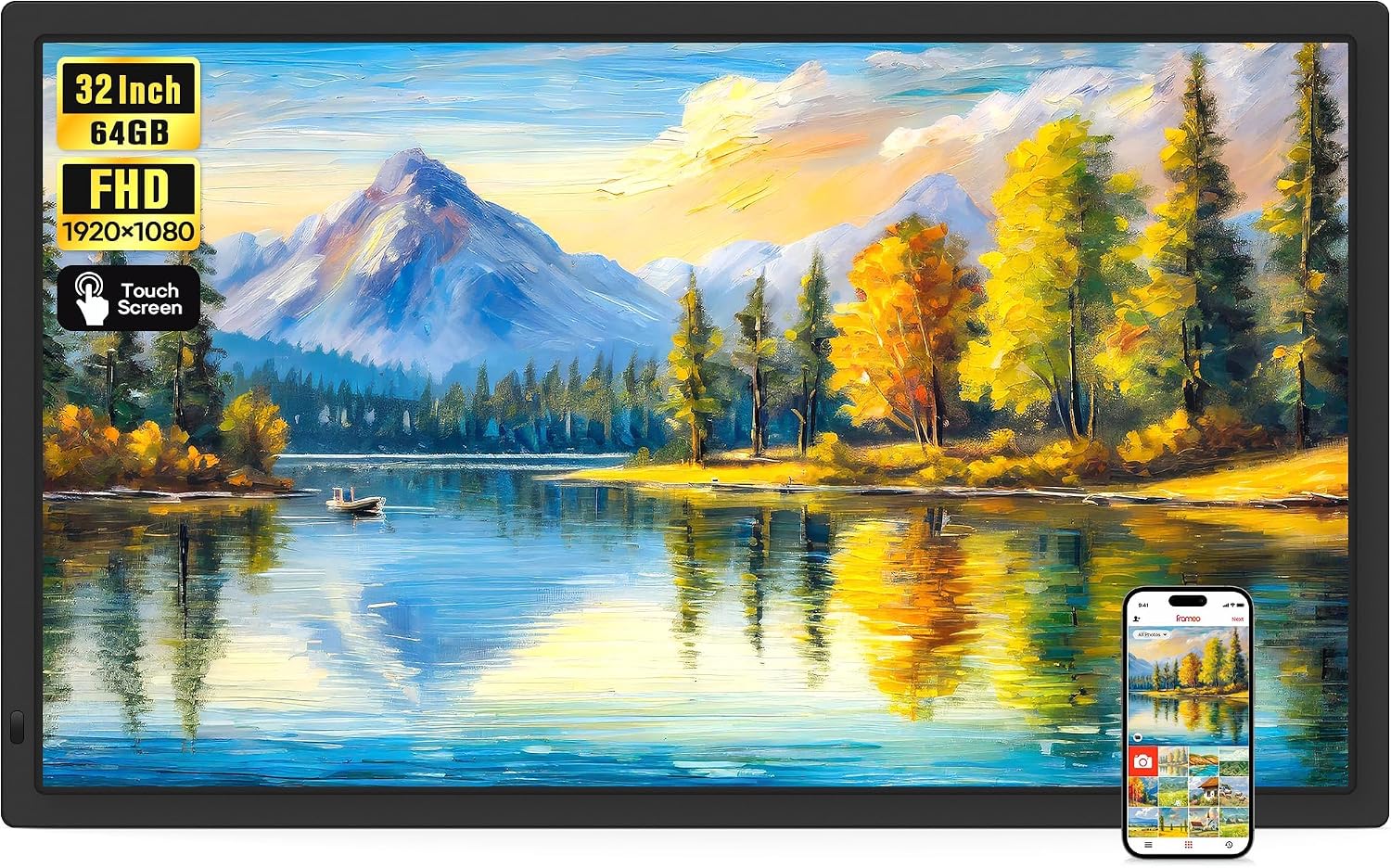
The largest size of Frameo frame: a 32-inch Full HD touch screen with 64GB inside, dual-band Wi-Fi, SD and USB slots and video that plays with sound, big enough to turn a living-room wall into the family album.

  • Screen32-inch IPS touch, 1920x1080
  • Storage64GB built in
  • SlotsSD card and USB drive, up to 128GB
  • Wi-FiDual-band, 2.4GHz and 5GHz
  • VideoPlays with sound
  • Warranty1 year
Lovely for a home with
  • A large living-room or dining-room wall
  • A family reunion, anniversary party or memorial display
  • Home videos with sound, played from a card at full length
  • A router on either Wi-Fi band
Think twice if
  • A shelf, desk or small room: this frame is the size of a small television
  • Close-up viewing at arm's length, where 1920x1080 over 32 inches looks softer than a smaller screen
See this frame

The BIGASUO 32-inch as the family album on the wall

A 32-inch Frameo frame is a different object from the frames on side tables. BIGASUO's 320K has a screen the size of a small television, and on a living-room wall it becomes the family album everyone sees, all day. A wedding photo shows the whole party at close to life size; a grandchild's school portrait fills the space where a painting might hang.

The panel is a Full HD 1920x1080 IPS touch screen. That resolution looks crisp from the sofa, which is where people watch a frame this big; at arm's length the pixels are larger than on a small frame, so it is built for the room rather than for close study.

Where a 10.1-inch frame is something a grandparent picks up, the 32-inch is something the family walks past, sits beneath and gathers in front of. That changes the photos people send: fewer quick snaps, more of the group shots that look their best large.

What BIGASUO fits into the 320K:

  • 64GB of memory, which BIGASUO rates at more than 160,000 photos.
  • SD card and USB drive slots that accept up to 128GB each, for import, export and backup.
  • Dual-band Wi-Fi covering 2.4GHz and 5GHz.
  • Video with sound, from app clips or full-length files on a card or stick.
  • A touch screen that BIGASUO describes as easy for older and less technical users.

The frame runs the same free Frameo app as smaller frames, so relatives already sending to Grandma's 10.1-inch frame can add the big screen to their app and post to both at once.

Memory cards for the 320K. The slots accept cards and drives up to 128GB, but BIGASUO recommends 32GB for the best compatibility and asks for FAT32 formatting. Larger cards may not be read reliably.
Frame details

Screen, storage and size

SpecValue
Model320K
Screen32-inch IPS touch screen
Resolution1920x1080 Full HD
Aspect ratio16:9
Built-in storage64GB
Photo capacity160,000+ photos, maker's figure
SD cardUp to 128GB, FAT32, 32GB recommended
USB driveUp to 128GB, FAT32, 32GB recommended
Wi-FiDual-band, 2.4GHz and 5GHz
Photo appFrameo for iOS and Android
Video from the appClips up to 15 seconds
Video from card or driveNo length limit, plays with sound
File formatsJPG, JPEG, BMP, PNG photos; MP4 video
ExtrasReactions, greetings, captions, weather, albums
SettingsSlideshow mode, play order, brightness, sound, sleep mode
OrientationAuto-rotate with the wall mount
FinishBlack
PowerMains adapter
Warranty1 year

Fifty years of photos at the golden anniversary party

A 32-inch frame shines at family gatherings. For a golden wedding anniversary, a significant birthday or a reunion, it can run a slideshow of decades of photos while guests talk, with nobody needing to set up a projector or a laptop. Afterwards it goes back to its everyday job on the wall.

Preparing the frame for a party takes an evening:

  1. Scan or gather the old photos and copy them, with any videos, onto a FAT32 USB stick or SD card.
  2. Insert it and import the files into an album called Fifty years.
  3. Set the slideshow to play that album only, with a comfortable interval.
  4. Ask relatives to send their own favourites through the app in the days before.
  5. On the day, turn up the sound for the videos of the wedding and the early holidays.

Video from the Frameo app is limited to 15 seconds per clip. From a card or stick there is no time limit, so an old wedding film transferred to MP4 plays in full, with sound.

The everyday features carry over to the party:

  • Captions and titles on photos so guests know the year and place.
  • Reactions sent back to whoever posted a photo.
  • Greetings for the couple from relatives who could not attend.
  • Weather and time shown on screen between photos.

For more on creating albums and removing photos once the party is over, see clearing old photos off the frame and the memory card guide.

Among the frames

Where it sits by screen size

Frameo frame models by screen size, September 2026. Highlighted: BIGASUO 32-inch Frameo Frame.

Hanging a 32-inch frame safely above the sideboard

A frame this size needs the same care as hanging a small television. The 320K rotates photos automatically when it is fixed to the wall mount, so it can hang sideways for groups and holidays or upright for portraits. Decide the orientation before drilling, since moving a large frame later means new holes.

DecisionWhat to consider
Wall typeUse fixings suited to plasterboard, brick or timber, and find studs where possible
HeightCentre the screen at seated eye level for a living room
SocketThe frame runs on mains power; plan the cable route before fixing
LightAvoid the wall facing a bright window, which washes out any screen
ReachKeep the lower edge where a seated grandparent can still tap it

Two people make the job easier: one to hold the frame level, one to mark and fix. Once it is up, set the sleep schedule so a 32-inch glow does not light the room all night.

Dual-band Wi-Fi helps a frame hung far from the router. If the 2.4GHz band is crowded, choose the 5GHz network during setup. Should the frame still drop offline, fixing a frame that refuses to connect covers the usual causes.

  • Before hanging: set up the frame on a table, join the Wi-Fi and load photos.
  • While hanging: keep the screen face-up on a soft surface when it is not on the wall.
  • After hanging: check the photos rotate the right way, then tidy the cable.
Also lovely

Three frames worth a look

A calendar on the big screen1 MaxAngel 32-inch Frameo Frame
MaxAngel 32-inch Frameo Frame
MaxAngel's 32-inch Frameo frame pairs 64GB with a synced calendar, six-photo collage and a built-in speaker.
  • 32" touch screen · 64GB
  • Photos arrive from the Frameo app
  • 1920×1080 IPS display
See this frame
The same features, smaller2 BIGASUO 21.5-inch Frameo Frame
BIGASUO 21.5-inch Frameo Frame
BIGASUO's 21.5-inch frame keeps 64GB and dual-band Wi-Fi on a screen that fits more walls.
  • 21.5" touch screen · 64GB
  • Photos arrive from the Frameo app
  • 1920×1080 IPS display
See this frame
A VESA mount at 21.5 inches3 Akimart 21.5-inch Frameo Frame
Akimart 21.5-inch Frameo Frame
Akimart's 21.5-inch frame joins both Wi-Fi bands and comes with a detachable stand and a VESA mount.
  • 21.5" touch screen · 32GB
  • Photos arrive from the Frameo app
  • 1920×1080 IPS display
See this frame

BIGASUO 320K or MaxAngel 32-inch: choosing the biggest frame

Two makers dominate the 32-inch Frameo size, BIGASUO and MaxAngel. Both pair a Full HD screen with 64GB and SD and USB slots, and both play video with sound. The differences are in the extras and the Wi-Fi.

How the big frames compare:

  • BIGASUO 320K: dual-band Wi-Fi covering 2.4GHz and 5GHz, cards and drives up to 128GB, reactions, greetings and captions.
  • MaxAngel 32-inch: a synced calendar, six-photo collage, themed greetings and a built-in speaker, all in a gift-ready box.
  • BIGASUO 21.5-inch: the same 64GB and dual-band Wi-Fi on a screen that fits more walls.

Choose the BIGASUO when the router runs on 5GHz or the frame will sit far from it. Choose MaxAngel when a family calendar on the wall is part of the plan. Step down to 21.5 inches if the wall is narrower than about 30 inches or the room is small.

BIGASUO also pitches a second version of this frame for galleries, offices and schools, adding notifications when new photos arrive and timestamps on images. At home, both versions do the same job with the same screen and memory.

One more thought on value: a 32-inch frame costs a good deal more than two smaller ones. If the family would rather have a frame in two grandparents' homes than one very large screen, two 15.6-inch frames may bring more joy for the same outlay.

Five checks before ordering:

  1. Measure the wall, allowing for the frame around a 32-inch screen.
  2. Check the wall type and buy suitable fixings.
  3. Plan the cable to the nearest socket.
  4. Format a 32GB card as FAT32 for the first load of photos.
  5. Invite senders so the big screen never runs out of new pictures.

If 32 inches feels like too much, Frameo sizes from 8 to 32 inches helps pick a smaller screen.
Family questions

Before you wrap it

How much does the BIGASUO 32-inch frame store?

64GB built in, which BIGASUO rates at more than 160,000 photos, plus SD and USB slots.

Does it play video with sound?

Yes. App clips up to 15 seconds play with sound, and full-length MP4 files play from a card or USB stick.

What size memory card should I use?

The slots accept up to 128GB, but BIGASUO recommends 32GB formatted as FAT32 for reliable reading.

Does it work on 5GHz Wi-Fi?

Yes. The 320K joins both 2.4GHz and 5GHz networks.

Can it hang upright?

Yes. Photos rotate automatically when the frame is fixed to the wall mount, upright or sideways.