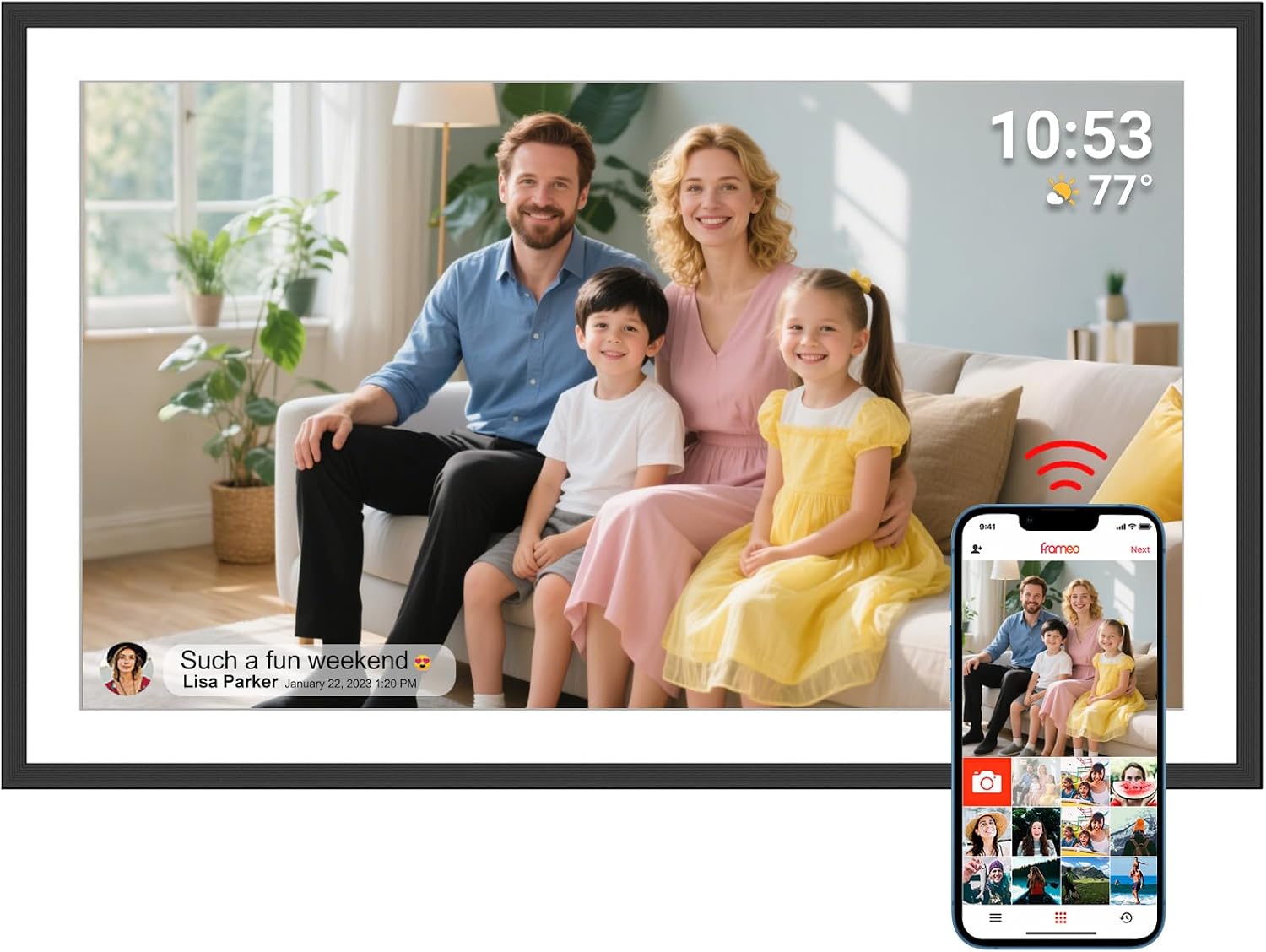
- 15.6" touch screen · 64GB
- Photos arrive from the Frameo app
- 1920×1080 IPS display
A 15.6-inch Frameo frame chosen for its colour: a Full HD IPS screen covering 94% of sRGB, in a deep black border with a starry shimmer, plus 32GB, SD and USB-A import and a calendar view.
Apveelveer builds the AVE-V5 around one figure that most Frameo frames never mention: 94% sRGB colour coverage. sRGB is the colour standard phone cameras and the web use, so a screen that covers most of it shows the bride's dress, the grandchildren's cheeks and a sunset sky much as they looked on the phone that took them.
The panel is a 15.6-inch Full HD IPS touch screen at 1920 by 1080 pixels in a 16:9 shape. IPS keeps colours steady from the side, which matters in a living room where people glance at the frame from the sofa, the doorway and the dining table.
Around that screen sits the Stardust Black frame, Apveelveer's own design: a deep black with a fine shimmer inspired by a starry sky. It is meant to look like a piece of decor before it looks like a gadget.
The main features in one place:
| Spec | Value |
|---|---|
| Model | AVE-V5 Stardust Black |
| Screen | 15.6-inch IPS touch screen |
| Resolution | 1920x1080 Full HD |
| Aspect ratio | 16:9 |
| Colour gamut | 94% sRGB |
| Built-in storage | 32GB |
| Memory card | SD card, up to 64GB |
| USB | USB-A flash drive |
| Computer transfer | Windows or Linux, by Type-C cable |
| Photo app | Frameo for iOS and Android |
| Wi-Fi | 2.4GHz |
| App sending | Up to 10 photos, or 15-second videos, at a time |
| Orientation | Auto-rotate, upright or sideways |
| On-screen extras | Calendar view, collage mode, albums, greeting stickers, captions |
| Settings | Slideshow, photo zoom, hide or show, sleep mode |
| Languages | 30 |
| Frame size | 15.5 x 9.5 inches |
| Weight | 1.1 kg |
| Power | Mains adapter, no battery |
| Support | Lifetime technical support |
The Frameo software on the AVE-V5 goes well beyond a slideshow, and Apveelveer switches most of the newer features on. A family can organise the frame so it feels like a shared album with its own chapters rather than a random stream of pictures.
Here is how the extras show up in daily life:
Photos arrive from the free Frameo app on iPhone and Android. Each sender pairs once with a code from the frame, then sends up to 10 photos, or a video of up to 15 seconds, at a time. Multi-user sharing means the whole family can post to the same frame, and only invited phones get in.
Apveelveer spells out the difference between the free app and Frameo+. The free version covers everyday sharing, and Frameo+ is an optional paid upgrade for larger batches, longer videos and unlimited cloud backup. Nothing about the frame requires a subscription.
With 30 menu languages, the frame also suits a grandparent who reads another language more easily than English. Set the language during the first start, or change it later in the settings, and every menu follows.
Photos already on the frame keep playing offline, so a router reset does not leave the screen blank. The frame does need a constant mains connection, since there is no battery.
The guide to Frameo and Frameo+ explains the optional plan in more detail.
Apveelveer gives the AVE-V5 three ways to receive photos without a phone, which helps when the family archive lives on a computer. A 64GB SD card, a USB-A flash drive or a Type-C cable from a Windows or Linux computer all work.
The computer route needs one setting switched on first. Follow these steps:
For a card or stick, format it on a computer, copy the photos, and push it into the frame. Apveelveer's SD slot handles cards of 64GB, twice the 32GB limit on many Frameo frames, which is handy for a large collection of scanned prints.
USB-A is the ordinary, full-size USB plug found on most flash drives, so any stick from a kitchen drawer fits without an adapter. Leave it in as a backup, or copy the photos across and put it away.
The frame measures 15.5 by 9.5 inches and weighs 1.1 kg. It works on a stand or hung on a wall, and auto-rotate turns each photo upright.
If the frame will not join their network, the router may be broadcasting only 5GHz. The Wi-Fi fixes for Frameo frames cover it in order.
The SD card guide explains formatting and how many photos each card size holds.
The AVE-V5 is the 15.6-inch Frameo frame to choose when colour and looks come first. Other frames at this size put the money elsewhere, in more memory, a speaker or dual-band Wi-Fi, and the right answer depends on the family.
| Frame | Stand-out feature | Memory | Wi-Fi |
|---|---|---|---|
| Apveelveer AVE-V5 | 94% sRGB, Stardust Black | 32GB, SD to 64GB | 2.4GHz |
| BIGASUO 15.6-inch | Built-in speaker | 64GB | 2.4GHz |
| Arktronic 15.6-inch | Synced calendar | 32GB, microSD to 64GB | Dual-band |
Apveelveer also makes a 15.6-inch Aurora version and a 10.1-inch range in Stardust Black, Mica White and Moonlight Silver, so a pair of matching frames for two homes is possible.
Arktronic's frame is the closest rival on features. It syncs a calendar too, adds collages of 2 to 6 photos, and joins both 2.4GHz and 5GHz networks, which helps in a home with a newer router. What it does not claim is a colour figure, so for a family photographer or anyone who prints and frames their best shots, the AVE-V5 remains the one built around picture quality.
Moonka's white 15.6-inch frame is the pick for a bright kitchen, where the Stardust Black border would look heavier than the room.
Before choosing the AVE-V5, check these points:
For how 10.1, 15.6 and 21.5 inches look in a real room, see the Frameo size guide.
The screen covers 94% of the sRGB colour range that phone cameras use, so photos look closer to how they appeared on the phone.
Yes, from a Windows or Linux computer by Type-C cable, once Enable transfer from computer is switched on in the frame's settings.
SD cards up to 64GB, and it also reads USB-A flash drives.
No. The free Frameo app covers everyday sharing. Frameo+ is optional for larger batches, longer videos and cloud backup.
No. It needs a constant mains connection.