Best frames
10.1-inch Frameo frame · 32GB · UDF10X1

Youyu 10.1-inch Frameo Frame

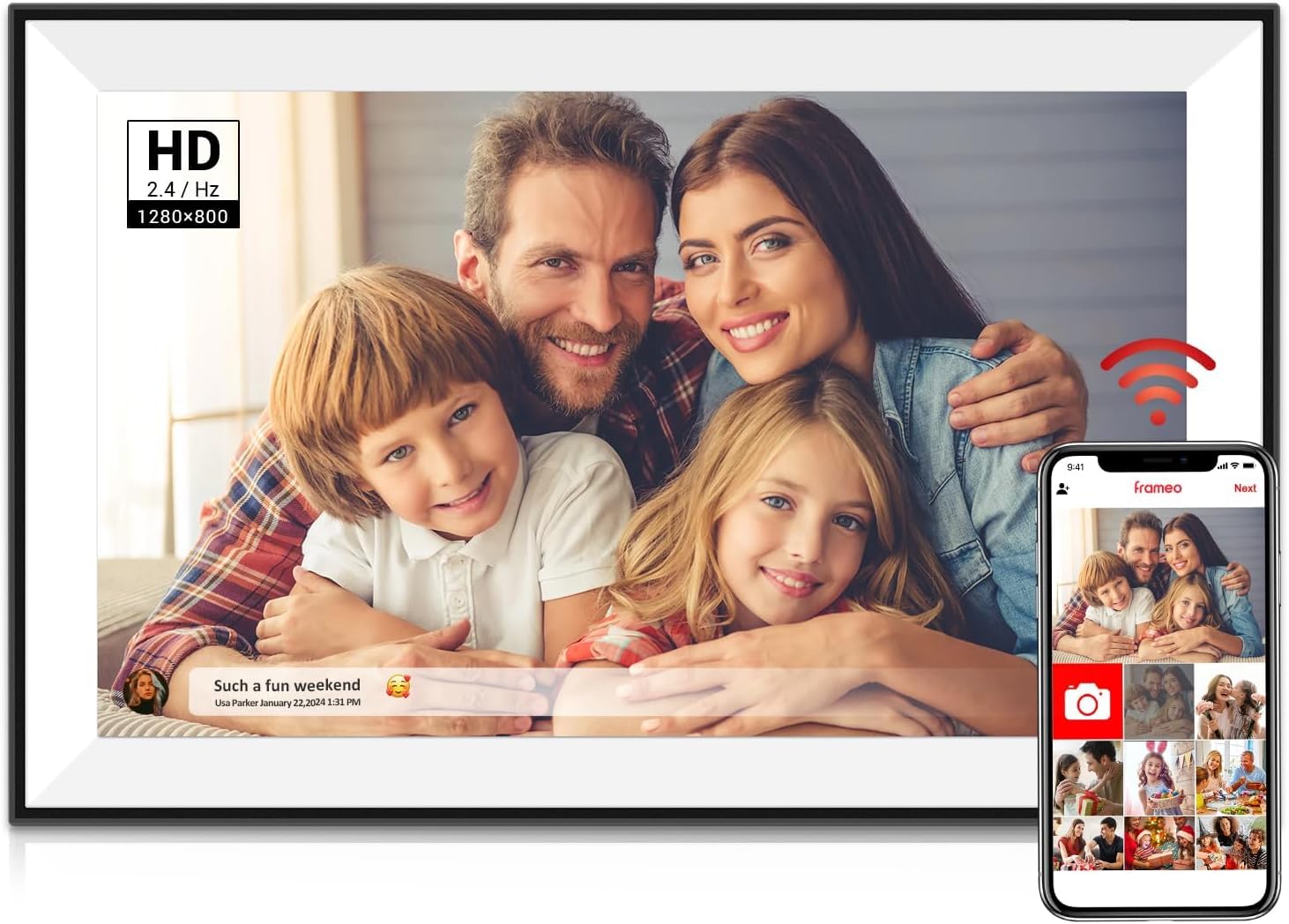
A slim 10.1-inch Frameo frame, about 15.6mm deep, with a 1280x800 IPS touch screen, 32GB inside and a microSD slot, in plain black or a two-tone black and white.

  • Screen10.1-inch IPS touch, 1280x800
  • Storage32GB built in
  • DepthAbout 15.6mm, slim design
  • ColoursBlack-and-white, or black
  • Memory cardmicroSD slot for slideshows
  • ModelUDF10X1
Lovely for a home with
  • A mantel or narrow shelf where a thick frame would overhang
  • Choosing between a two-tone and an all-black look
  • A grandparent who shares photos from a camera card as well as the app
  • Plenty of room: 32GB for years of family photos
Think twice if
  • A family calendar on screen: other frames sync one
  • Viewing from the far side of a large room
See this frame
Colours & options

Two Youyu colourways for their room

A 15.6mm-slim Youyu frame on Mum's mantelpiece

Youyu's 10.1-inch Frameo frame is built thin, about 15.6mm deep by Youyu's own figure, so it sits close to the wall or the back of a shelf. On a narrow mantelpiece or a window ledge, that slimness means the frame stays put where a chunkier one might hang over the edge. Youyu describes it as doubling as a piece of modern art, and the thin profile does make it look less like a device.

Behind the slim face sits the usual 10.1-inch Frameo set-up, with a generous amount of memory:

  • A 10.1-inch IPS touch screen at 1280x800, with a 178-degree viewing angle.
  • 32GB of built-in memory, room for years of family photos.
  • A microSD slot that can play a slideshow straight from a card.
  • Auto-rotate, so a portrait of the baby and a group shot at the beach both sit the right way up.

The screen is an IPS panel, which keeps colours and faces steady when the frame is seen from the side. That matters on a mantelpiece, where most people glance at it from an armchair rather than head-on.

A thin frame is a light touch on a mantel, not a battery device. The Youyu still runs from its mains cable. Plan the route from the socket before choosing its spot, so the lead does not trail across the hearth.

The body is ABS plastic, and the frame weighs about 0.8 kilograms. That suits a small shelf and steady enough not to tip when someone taps the screen to pause a photo.

Youyu names the black-and-white model UDF10X1 and the all-black one UDF10p1. Both share the same 32GB and screen.

Frame details

Screen, storage and size

SpecValue
ModelUDF10X1 (black-and-white), UDF10p1 (black)
Screen size10.1 inches
PanelIPS HD touch screen, 178° viewing angle
Resolution1280x800
Aspect ratio16:10
Built-in storage32GB
Memory cardmicroSD, plays slideshows from the card
Photo appFrameo for iOS and Android
ConnectionWi-Fi
Video from the appClips up to 15 seconds
OrientationAuto-rotate
SettingsBrightness, sleep mode, captions
DepthAbout 15.6mm
Frame materialABS plastic
WeightAbout 0.8 kg
PowerMains cable
Warranty1 year

Black-and-white or all black: the two Youyu frames

Youyu makes the frame in two looks, and the choice is purely about the room. The black-and-white version mixes both tones, which lifts it in a light room and suits a kitchen or a bedroom. The all-black version sinks into a darker shelf or sits beside a television without drawing attention.

VersionLooks bestInside
Black and whiteWhite walls, pale wood, bright kitchens10.1-inch, 32GB
BlackDark shelves, TV units, studies10.1-inch, 32GB

Everything that matters for the photos is the same in both. Screen, memory, app and settings do not change, so the decision can rest on where it will stand.

A quick way to choose:

  1. Stand where the frame will go and look at the nearest furniture.
  2. If it is pale or painted, pick black and white.
  3. If it is dark wood, black metal or a television, pick black.
  4. If it will move around the house, black suits more rooms.

Photos stand out more against a light border in a bright room, and against a dark one where the lighting is low. Either way, the slideshow brightness can be dimmed for the evening, and sleep mode switches the screen off at night.

Captions help too. A line added in the Frameo app when sending, such as the town or the year, stays with the photo, so the frame tells a little story as it plays.

A tour of 10.1-inch Frameo frames shows the other colours and finishes available at this size, from white to wood and mirror.

Among the frames

Where it sits by screen size

Frameo frame models by screen size, September 2026. Highlighted: Youyu 10.1-inch Frameo Frame.

Photos from the family, and a camera card from Grandma's own trips

Most photos reach the Youyu through the Frameo app. Relatives install it free on iPhone or Android, add the frame with its code, and send pictures and 15-second clips from anywhere. Youyu also points to the microSD slot, where a card can play a slideshow on its own, which suits a grandparent who still takes pictures with a camera.

Two routes, two kinds of photos:

  • The Frameo app for the grandchildren's daily moments, sent by the family as they happen.
  • A microSD card for Grandma's own holiday pictures, copied from her camera or computer.

That mix makes the frame feel like hers, not just a screen the family fills. Her garden, her trip to the coast and her friends appear alongside the pictures sent by her children.

Setting it up for a non-technical parent:

  1. Plug it in, pick the language and connect to Wi-Fi.
  2. Name the frame so senders know where their photos go.
  3. Add each relative with a friend code from the frame.
  4. Set brightness and sleep hours for the room.

After that first session, the grandparent can simply watch. Invited senders are the only ones who can add photos, which keeps the frame private.

Clips from the app stop at 15 seconds, enough for a laugh or a wave. Photos stay on the frame when the internet drops, so the slideshow carries on through a router restart.

For the card, use a 32GB microSD card formatted as FAT32, the size most Frameo makers recommend. The memory card help explains formatting step by step, and the guide to adding photos covers friend codes and QR codes for the app.
Also lovely

Three frames worth a look

Black and white with a calendar1 PiPivision 10.1-inch Frameo Frame
PiPivision 10.1-inch Frameo Frame
PiPivision's 10.1-inch frame pairs a two-tone look and 32GB with albums, collage mode and a synced calendar.
  • 10.1" touch screen · 32GB
  • Photos arrive from the Frameo app
  • 1280×800 IPS display
See this frame
Photos from a laptop or drive2 FLYRUIT 10.1-inch Frameo Frame
FLYRUIT 10.1-inch Frameo Frame
FLYRUIT's 10.1-inch frame takes photos from a microSD card, a USB-C drive or a computer cable, as well as the app.
  • 10.1" touch screen · 32GB
  • Photos arrive from the Frameo app
  • 1280×800 IPS display
See this frame
A plain black 32GB frame3 Moonka 10.1-inch Frameo Frame
Moonka 10.1-inch Frameo Frame
Moonka's 10.1-inch frame keeps to the essentials, with 32GB, offline playback of stored photos and a sleep timer.
  • 10.1" touch screen · 32GB
  • Photos arrive from the Frameo app
  • 1280×800 IPS display
See this frame

Youyu beside PiPivision and FLYRUIT: slim, two-tone or card-friendly

Several 32GB 10.1-inch Frameo frames compete with the Youyu, and each leans a different way. PiPivision comes in a similar black-and-white look and adds a calendar, albums and a collage mode. FLYRUIT goes further on ways to load photos, with a USB-C drive and a computer cable as well as a card.

FrameLookStorageStandout
Youyu 10.1-inchSlim, black or black-and-white32GB15.6mm body, microSD slideshows
PiPivision 10.1-inchBlack and white32GBCalendar, collage, 10 photos per send
FLYRUIT 10.1-inchBlack32GBmicroSD, USB-C drive, computer loading
Moonka 10.1-inchBlack32GBOffline slideshow, sleep timer

Pick the Youyu when the frame's shape matters: a narrow shelf, a mantel, a spot where a slim profile looks tidier. Pick PiPivision when a calendar beside the photos would help a busy family keep track of visits and birthdays.

FLYRUIT suits a household that stores photos on a laptop, because it can take them straight from a computer. Moonka is the plainest of the four, a black 32GB frame that keeps playing stored photos when the Wi-Fi drops.

All four share a 1280x800 screen and the same free app, so a family that already sends to one Frameo frame can add a second with no new app to learn. That makes the Youyu an easy extra frame for a second grandparent's home, with every phone in the family able to send to both.

Three checks before giving it:

  • Measure the shelf depth if space is tight.
  • Pick the colour against the room, not the box.
  • Load a card with Grandma's own photos as a surprise.

For help on the first day, the setup guide for Grandma's frame walks through language, Wi-Fi and the first friend code in order.

Family questions

Before you wrap it

How do the two Youyu frames differ?

Only the colour. The black-and-white and the all-black versions share the same 10.1-inch screen, 32GB and Frameo app.

How thin is the Youyu frame?

Youyu gives the depth as about 15.6mm, which helps it sit on a narrow mantel or shelf.

Can the Youyu play photos from a memory card?

Yes. Insert a microSD card and it can play a slideshow from the card, alongside photos sent through the Frameo app.

Does the Youyu frame need Wi-Fi?

Wi-Fi is needed to receive new photos from the app. Photos already stored, and those on a card, play without it.