Best frames
10.1-inch Frameo frame · 32GB · ZN-DP1002

Moonka 10.1-inch Frameo Frame

A plain black 10.1-inch Frameo frame for a first-time owner: a 178° IPS touch screen, 32GB, invited senders only, and a slideshow that carries on from memory when the Wi-Fi goes quiet.

  • Screen10.1-inch IPS touch, 1280x800
  • Viewing angle178°
  • Storage32GB built in
  • Wi-Fi2.4GHz only
  • OfflineStored photos play without Wi-Fi
  • Weight0.7 kg
Lovely for a home with
  • A first frame for someone new to touch screens
  • A big family with many relatives sending
  • Homes where the internet is sometimes off
  • A classic black frame that suits any room
Think twice if
  • A 5GHz-only router
  • Anyone who wants wood, white or gold
See this frame

Grandad's first touch screen: Moonka's plain black frame

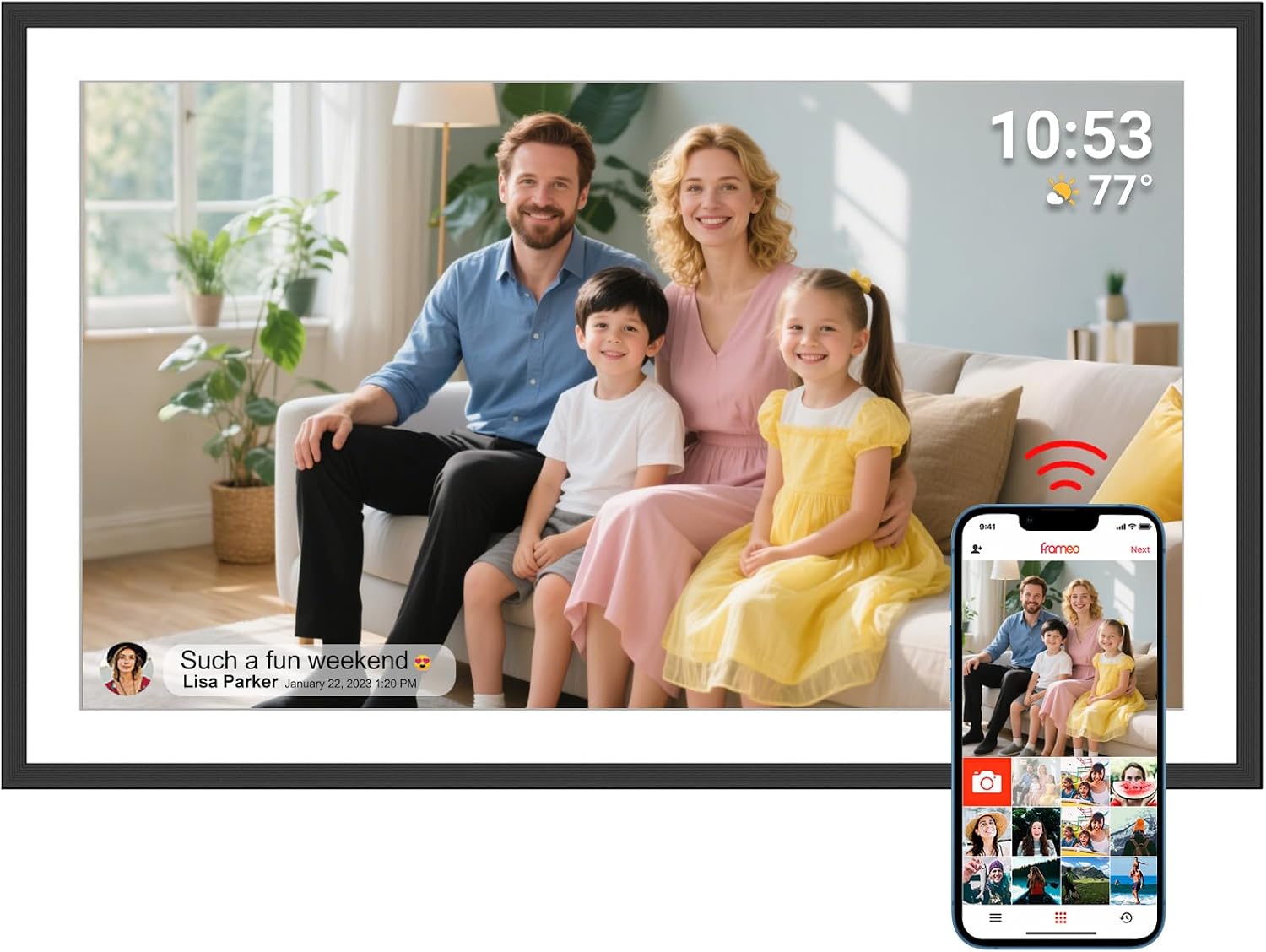
Moonka's 10.1-inch Frameo frame does not try to impress with finishes or add-ons. It is a black frame with a 1280x800 IPS touch screen, 32GB inside and the Frameo app, and that plainness is its appeal for someone who has never owned a tablet or smartphone.

Everything the owner touches is on the screen itself:

  • Swipe left or right to move between photos.
  • Tap once to pause and see the options.
  • Open the menu to change brightness or the sleep hours.

The panel is a 16:10 IPS screen with a 178° viewing angle, which in practice means the picture holds its colour from almost any seat in the room. A grandfather in his armchair and a visitor standing by the door see the same bright photo.

Moonka's frame shares its ZN-DP1002 model number with Akimart's popular 10.1-inch frame, so the two share a body and screen. What Moonka adds is its own one-year coverage and online support for any question the family runs into.

Preload, then hand it over. Set the frame up on your own Wi-Fi, send a first batch of photos, and change the network once it reaches its new home. The first time Grandad switches it on, his family is already there.

The frame stands on a desk or hangs on a wall, and photos rotate automatically when it is turned upright or sideways. It weighs about 0.7 kg, light enough for a single picture hook.

For a gentle walk-through of the first start, share setting up a Frameo frame with whoever unwraps it.

Frame details

Screen, storage and size

SpecValue
ModelZN-DP1002
Screen10.1-inch IPS HD touch screen
Resolution1280x800
Aspect ratio16:10
Viewing angle178°
Built-in storage32GB
Photo appFrameo for iPhone and Android
Wi-Fi2.4GHz only
Video from the appUp to 15 seconds
Accounts and feesNo email, cloud account or fees needed
SendersMultiple invited users, managed from the frame
Offline playbackStored photos play without Wi-Fi
OrientationAuto-rotate, desk or wall mount
SettingsSlideshow time, photo hiding, brightness, sleep timer
ExtrasCalendar and greetings
ColourBlack
Frame materialPlastic
Weight0.7 kg
PowerMains adapter
WarrantyOne year, with online support

Cousins, godparents and a dozen senders on one Moonka frame

Some families send photos from two phones. Others have grandchildren on three continents, godparents, old neighbours and a church friend who all want a place on the frame. Moonka highlights easy management of multiple users, and the Frameo system scales from one sender to many without extra cost.

Adding each new sender follows the same four steps:

  1. The relative installs the free Frameo app on their iPhone or Android.
  2. At the frame, someone opens the menu and chooses to add a friend.
  3. The frame shows a code, read out over the phone if the relative is far away.
  4. The relative types the code into the app, and their photos start arriving.

The frame owner stays in control. From the frame's settings, any sender can be removed, and any single photo can be hidden from the slideshow without deleting it.

Moonka stresses what the system does not need:

  • No email address for the person with the frame.
  • No cloud account to create or pay for.
  • No fees for sending photos through the free app.

Only invited people can send, so the frame stays private. Nothing is posted publicly, and a stranger cannot drop a picture onto it.

With many senders, photos can pile up quickly. Hiding weaker shots keeps the slideshow feeling like highlights, and the guide to deleting and hiding photos shows how to tidy the album in batches.

For the full picture of sending, including sending to several frames at once, see adding photos to a Frameo frame.

Among the frames

Where it sits by screen size

Frameo frame models by screen size, September 2026. Highlighted: Moonka 10.1-inch Frameo Frame.

Sleep timer, brightness and a quiet router: the Moonka day and night

A frame on the kitchen shelf lives through bright mornings, dim evenings and the odd night when the broadband goes down. Moonka's settings cover each of those, and the 32GB of memory means the slideshow never depends on a live connection.

A typical day with the frame:

TimeWhat the frame does
MorningWakes on its own schedule and resumes the slideshow
MiddayNew photos from the app appear as they are sent
EveningBrightness set lower so the screen is gentle in a dim room
NightSleep timer turns the screen off to save energy

When the Wi-Fi drops, stored photos keep playing from the frame's memory. New pictures sent in the meantime simply wait and arrive once the frame reconnects. For a grandparent, the outage often goes unnoticed.

The frame's slideshow timing is adjustable, from a quick change every few seconds to a slow rotation that leaves each photo up for minutes. Slower suits a frame that sits in the owner's eyeline all day.

A few habits help the frame through its day:

  • Keep it plugged in, so it reconnects on its own after an outage.
  • Place it where 2.4GHz reception is strong, not behind thick walls.
  • Set sleep hours to match the household, not the factory default.

Moonka has also added a calendar feature, so the day's appointments can sit alongside the photos, plus greetings for birthdays and holidays.

If the frame stops receiving photos for days, the Frameo troubleshooting guide lists fixes in order, starting with a simple restart.

Also lovely

Three frames worth a look

The same design with a battery option1 Akimart 10.1-inch Frameo Frame
Akimart 10.1-inch Frameo Frame
Akimart's frame shares the ZN-DP1002 model, with a detachable stand and a battery-powered white version.
  • 10.1" touch screen · 32GB
  • Photos arrive from the Frameo app
  • 1280×800 IPS display
See this frame
Moonka's Full HD living-room frame2 Moonka 15.6-inch Frameo Frame
Moonka 15.6-inch Frameo Frame
The 15.6-inch Moonka moves to 1920x1080 with 32GB and a 178° viewing angle.
  • 15.6" touch screen · 32GB
  • Photos arrive from the Frameo app
  • 1920×1080 IPS display
See this frame
Moonka's largest wall frame3 Moonka 21.5-inch Frameo Frame
Moonka 21.5-inch Frameo Frame
The 21.5-inch Moonka adds dual-band Wi-Fi, USB and SD card support for a big wall.
  • 21.5" touch screen · 32GB
  • Photos arrive from the Frameo app
  • 1920×1080 IPS display
See this frame

Moonka at 10.1, 15.6 or 21.5 inches for the room they have

Moonka builds its Frameo frame in three sizes, which makes it easy to match a room while keeping the same maker. The 10.1-inch model suits a side table or bedside, the 15.6-inch moves to Full HD for a living room, and the 21.5-inch adds dual-band Wi-Fi for a large wall.

Moonka frameScreenBest spot
10.1-inch1280x800, 32GBSide table, desk, bedside
15.6-inch1920x1080, 32GBLiving-room shelf or sideboard
21.5-inch1920x1080, 32GB, dual-band Wi-FiA large wall seen from across the room

At 10.1 inches, the closest rival is Akimart's frame on the same ZN-DP1002 model. Akimart adds a battery-powered white version and describes a microSD slot; Moonka offers a single black frame and stored-photo playback. Both suit a first-time owner.

Choosing a size is mostly about distance. From a chair beside a side table, 10.1 inches shows faces clearly. Across a sofa, three metres away, faces on a 10.1-inch screen start to shrink, and that is where the 15.6-inch Full HD model earns its larger footprint. The 21.5-inch model is for a wall that everyone in the room faces, such as above a sideboard in a dining room.

Staying with one maker has a small benefit for a family buying more than one frame: the menus and support contact are the same on each.

The 10.1-inch Moonka's pre-gift list:

  1. Confirm their router broadcasts on 2.4GHz. The Wi-Fi help covers routers that merge bands.
  2. Choose a spot near a socket.
  3. Preload a first batch of photos at your home.
  4. Invite every relative who wants to send.
Two sizes, one family. Some families give a 15.6-inch frame to the living room and a 10.1-inch to the bedside. Both receive the same photos when senders pick both frames in the app.

Compare the sizes side by side in Frameo frame sizes.

Family questions

Before you wrap it

Does the Moonka frame need an email or cloud account?

No. The person with the frame needs no email, cloud account or fees. Relatives send photos through the free Frameo app.

Does the Moonka frame work with 5GHz Wi-Fi?

No. It works with 2.4GHz Wi-Fi only.

Will the photos still show if the internet goes down?

Yes. Photos stored in the frame's 32GB keep playing. New photos arrive once it reconnects.

Is the Moonka frame the same as the Akimart frame?

They share the ZN-DP1002 model number. Akimart offers more versions, including one with a battery, while Moonka sells a single black frame.