Best frames
15.6-inch Frameo frame · Slim acrylic · 32GB

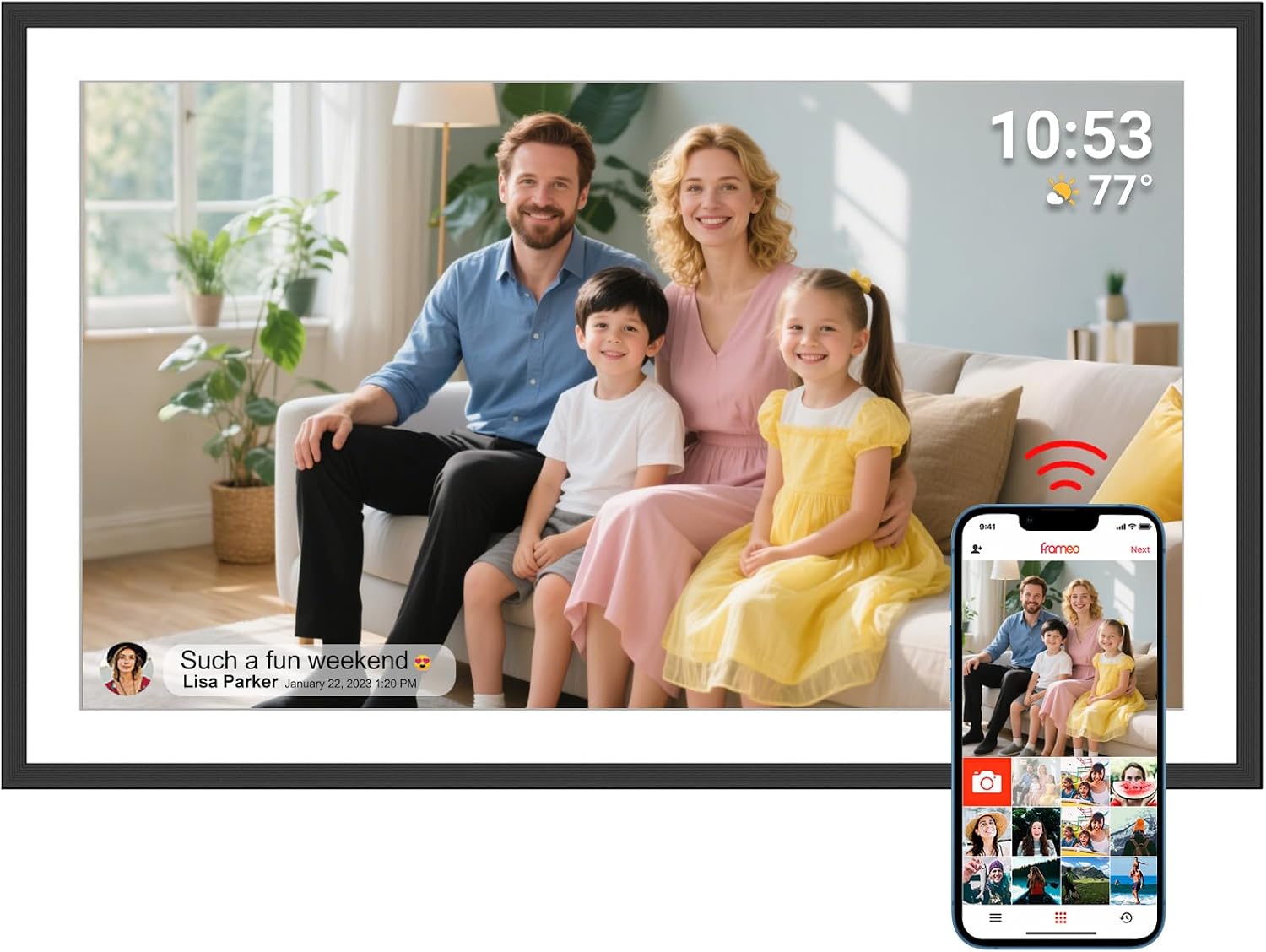
AMABOO 15.6-inch Acrylic Frameo Frame

A slim 15.6-inch Frameo frame in acrylic from AMABOO: a 1920x1080 IPS touch screen, 32GB of memory, SD and USB import, and a clean modern edge that looks at home on a gallery wall.

  • Screen15.6-inch IPS touch, 1920x1080
  • FrameSlim acrylic, 15.51 x 9.7 inches
  • Storage32GB built in
  • ImportSD card, USB drive, computer
  • Wi-Fi2.4GHz
  • Warranty1 year, manufacturer
Lovely for a home with
  • A modern room where a chunky black border would look dated
  • Families who want photos on the wall like artwork
  • Relatives who bring photos on an SD card or USB stick
Think twice if
  • A home whose router only offers 5GHz
  • A spot far from a socket: it must stay plugged in
See this frame
Frame details

Screen, storage and size

SpecValue
Screen15.6-inch IPS touch screen
Resolution1920x1080 Full HD
Aspect ratio16:9
Built-in storage32GB
Memory cardSD card, FAT32
USBUSB drive, FAT32
Computer transferBy computer connection
Photo appFrameo for iOS and Android
Wi-Fi2.4GHz
Photo formatsJPG, JPEG, BMP, PNG
Video formatMP4
OrientationAuto-rotate
MountingStand or wall mount
SettingsSlideshow mode, brightness, volume, sleep timer
ExtrasReact emojis, collage mode, greetings
Frame materialAcrylic
Frame size15.51 x 9.7 inches
PowerMains, original adapter only
Warranty1 year, manufacturer

Photos from phones, an SD card or a laptop on the AMABOO

AMABOO gives the frame several ways to fill up, which suits families who mix phones and cameras. The Frameo app covers phones, and an SD card, a USB drive or a computer connection covers everything else.

For phones, each relative installs the free Frameo app, connects the frame to 2.4GHz Wi-Fi, and pairs once with the code the frame shows. AMABOO notes there is no limit on how many family members can join, and anyone who already uses Frameo for another frame needs no new download.

For cards and sticks, the steps are short:

  1. Format the SD card or USB drive as FAT32 on a computer.
  2. Copy JPG, JPEG, BMP or PNG photos and MP4 videos onto it.
  3. Insert it into the frame.
  4. Play straight from the card, or import the photos into the 32GB memory.

Playing directly from the card means an SD card from a camera can go in, show its photos, and come out again later. Importing makes the photos part of the frame's own album, so they stay after the card is removed.

Clips sent from the free Frameo app stop at 15 seconds. A longer video, such as a wedding speech, is better copied onto a USB stick, and the volume control keeps it at a comfortable level.

Card size and format. The memory card guide covers FAT32 formatting and how many photos different card sizes hold.

The computer route suits the family member who keeps the archive. Connect a laptop to the frame, copy across a folder of scanned albums, and they join the slideshow alongside the photos arriving from phones.

The steps for inviting relatives are in adding photos to a Frameo frame.

Among the frames

Where it sits by screen size

Frameo frame models by screen size, September 2026. Highlighted: AMABOO 15.6-inch Acrylic Frameo Frame.

Sleep timer, restarts and care tips for the AMABOO frame

AMABOO adds a practical note that many makers leave out: most issues are solved by restarting the frame. That advice, along with a few everyday habits, keeps the frame running smoothly for years.

Everyday settings to set once:

  • Sleep timer, to turn the screen off overnight and save energy.
  • Brightness, lowered at night or in a dim room.
  • Slideshow mode, choosing the order and pace of photos.
  • Volume, for videos with sound.

If something goes wrong, work through these in order:

  1. Restart the frame from the menu, or unplug it for a minute and plug it back in.
  2. Check the original adapter is in use, since AMABOO asks for the one supplied.
  3. Confirm the Wi-Fi is 2.4GHz if new photos stop arriving.
  4. Update the Frameo software from the settings once it reconnects.

The React feature is a small pleasure worth showing the person who receives the frame. Tap a photo, choose an emoji, and it goes straight back to whoever sent the picture. It turns a slideshow into a two-way conversation.

A little routine care keeps the acrylic looking new. Wipe the frame and screen with a soft, dry microfibre cloth rather than kitchen spray, and keep the frame out of direct afternoon sun, which also makes any screen harder to see.

Collage mode shows several photos together, which suits a batch from a birthday party. Greetings let relatives send a themed card for a holiday or anniversary.

For deeper fixes, the Frameo troubleshooting guide covers freezes, loading screens and resets. Wi-Fi problems have their own connection guide.

Once photos are stored, they keep playing without Wi-Fi, so a router restart never leaves the wall blank.

Also lovely

Three frames worth a look

The same look, smaller1 AMABOO 10.1-inch Frameo Frame
AMABOO 10.1-inch Frameo Frame
AMABOO's 10.1-inch frame brings translucent acrylic styling, a synced calendar and USB import to a desk or bedside.
  • 10.1" touch screen · 32GB
  • Photos arrive from the Frameo app
  • 1280×800 IPS display
See this frame
A white 15.6-inch3 Moonka 15.6-inch Frameo Frame
Moonka 15.6-inch Frameo Frame
Moonka's white 15.6-inch Full HD frame suits a bright kitchen and shows a calendar beside the photos.
  • 15.6" touch screen · 32GB
  • Photos arrive from the Frameo app
  • 1920×1080 IPS display
See this frame

The 15.6-inch acrylic AMABOO or its 10.1-inch clear sibling

AMABOO also makes a 10.1-inch frame with a clear acrylic look, and the two share the same modern style. Deciding between them depends on the room and how far away people will sit.

AMABOO frameScreenImportSuits
15.6-inch acrylic1920x1080SD, USB, computerLiving room, gallery wall
10.1-inch clear1280x800USB flash driveDesk, bedside, kitchen

The 10.1-inch model adds a synced calendar and an automatic on and off schedule, and it takes photos from USB flash drives. The 15.6-inch frame wins on screen size and the extra SD card route.

Distance is the simplest guide. If the frame will be seen from a sofa or a dining chair several steps away, the 15.6-inch screen shows faces at a size everyone can enjoy. If it will sit within arm's reach, the 10.1-inch model is plenty and leaves more room on the shelf.

A matching pair works well across two homes or two rooms. The larger acrylic frame goes on the living-room wall, the smaller one on Grandma's bedside, and a relative can tick both in the Frameo app so each new photo lands on both screens at once.

Among other design-led 15.6-inch frames, Apveelveer's AVE-V5 pairs a shimmering black border with a 94% sRGB colour figure, and Moonka's white 15.6-inch frame suits a light kitchen.

Before choosing the AMABOO acrylic frame, check four points:

  1. The router. The frame joins 2.4GHz Wi-Fi.
  2. A socket. It must stay plugged in with its own adapter.
  3. The wall. Measure for 15.51 by 9.7 inches.
  4. The style. Acrylic suits modern rooms; a wooden frame may suit a traditional one better.

All the screen sizes are compared in the Frameo size guide.

Family questions

Before you wrap it

How big is the AMABOO acrylic frame?

About 15.51 by 9.7 inches, with a 15.6-inch Full HD touch screen.

Can it play photos straight from an SD card?

Yes. It plays from an SD card or USB drive formatted as FAT32, and can import them into its 32GB memory.

Does it need to be plugged in all the time?

Yes. AMABOO states it must stay connected to power with the original adapter.

What Wi-Fi does it need?

A 2.4GHz network for the Frameo app.